There’s something magical about holding a memory in your hands moments after it happens. While our smartphones overflow with thousands of travel photos that rarely see the light of day, pocket photo printers are changing the narrative—transforming digital snapshots into tangible keepsakes you can share, scrapbook, or stick on your hostel wall. These pint-sized powerhouses have evolved from novelty gadgets into essential travel companions, offering professional-quality prints without the bulk of traditional portable printers.
Whether you’re a digital nomad documenting your workspace views, a family creating interactive vacation journals, or a solo traveler swapping photos with new friends around a campfire, the right pocket printer becomes an extension of your creative process. But with varying technologies, hidden costs, and features that range from gimmicky to game-changing, choosing the perfect device requires more than just comparing price tags. This comprehensive guide walks you through everything you need to know to select a pocket photo printer that matches your travel style, budget, and vision for preserving adventures.
Top 10 Pocket Photo Printers for Travel Memories
Detailed Product Reviews
1. KODAK Step Instant Smartphone Photo Printer - Portable Mini Color Wireless Mobile Printer - Zink 2x3” Sticky-Back Photos - Bluetooth Compatible with iOS & Android Devices - Fun Editing App - Black

Overview: The KODAK Step Instant Printer transforms digital memories into physical 2x3" prints directly from your smartphone. This pocket-sized device uses innovative Zink technology to deliver sticky-back photos without ink cartridges, making it ideal for social media enthusiasts, scrapbookers, and anyone wanting instant gratification from their digital shots.
What Makes It Stand Out: Zero-ink technology sets this apart—embedded dye crystals in the paper activate during printing, eliminating messy cartridges. The free Kodak app offers robust editing with filters, borders, stickers, and text overlays. NFC connectivity provides one-touch pairing, while the palm-sized design weighs under a pound. The sticky-back prints adhere to laptops, journals, and lockers instantly.
Value for Money: At $79.99, it sits comfortably between budget and premium options. The real savings come from Zink paper packs, which cost less per print than traditional instant cameras. With 25 prints per charge and no ink replacement costs, it’s economical for casual users. Competitors like HP Sprocket cost more without significant feature advantages.
Strengths and Weaknesses: Pros: True portability; mess-free printing; strong app integration; sticky paper versatility; affordable media costs. Cons: Zink colors can appear slightly muted compared to inkjet; 25-print battery life limits event use; 2x3" size may feel small for some projects; print speed slows in cold temperatures.
Bottom Line: Perfect for teens, travelers, and social media mavens who prioritize convenience over gallery-quality prints. The KODAK Step delivers reliable performance for casual photo projects and memory-keeping without breaking the bank.
2. HP Sprocket Portable 2x3 Instant Photo Printer (Luna Pearl) Print Pictures on Zink Sticky-Backed Paper from Your iOS & Android Device.

Overview: HP’s Sprocket 2nd Edition brings augmented reality to pocket printing, creating 2x3" sticky photos from your smartphone. The Luna Pearl finish gives it a premium aesthetic that appeals to design-conscious users. Bluetooth 5.0 ensures stable connections while the companion app unlocks features beyond basic printing.
What Makes It Stand Out: Augmented reality functionality transforms prints into interactive experiences—scan photos to reveal hidden videos or queue sharing. The app integrates social media hashtag printing for instant event documentation. At 35 prints per charge, it outlasts most competitors. HP’s reputation for reliability and the sleek, slim profile make it a fashion-forward choice.
Value for Money: Priced at $89.99, it’s the premium option in this category. You’re paying for the AR features, superior battery life, and brand trust. While $10 more than the Kodak Step, the extended battery and innovative AR justify the cost for tech enthusiasts. Zink paper costs remain consistent across brands.
Strengths and Weaknesses: Pros: Augmented reality features; best-in-class battery; Bluetooth 5.0 stability; elegant design; robust social media integration. Cons: Highest price point; AR features require viewer app; limited editing tools compared to Kodak; setup can be finicky with some Android devices.
Bottom Line: Ideal for tech-savvy users who value innovation and style. The HP Sprocket excels at events and social gatherings where AR features create memorable interactions, making it worth the premium for the right user.
3. Kodak Mini 2 Retro 4PASS Portable Photo Printer, 2.1x3.4 inches, 38 Sheets Bundle, White

Overview: The Kodak Mini 2 Retro employs 4PASS technology to produce larger, more durable 2.1x3.4" photos with professional lamination. This bundle includes 38 sheets, making it ready for extensive projects straight out of the box. Its retro aesthetic appeals to traditional photographers seeking modern convenience.
What Makes It Stand Out: 4PASS printing layers colors with a protective laminate, creating fingerprint-proof, water-resistant prints built to last generations. The border/borderless option adds creative flexibility—add captions in borders or maximize image area. Superior color accuracy and detail preservation make this the quality leader. The included paper bundle provides immediate value.
Value for Money: At $75.99 with 38 sheets included, it offers exceptional value. The 4PASS technology costs more per print than Zink, but the archival quality justifies the expense. For scrapbookers and memory-keepers, the durability means priceless photos won’t degrade. It’s competitively priced against lower-quality alternatives.
Strengths and Weaknesses: Pros: Superior print quality and longevity; laminated protection; larger print size; generous sheet bundle; border options. Cons: Requires specific 4PASS cartridges; slightly bulkier than Zink printers; higher per-print cost; slower printing process.
Bottom Line: The best choice for quality-conscious users creating permanent keepsakes. If you value archival durability and true-to-life colors over ultra-portability, the Mini 2 Retro delivers professional results in a portable package.
4. Nelko Photo Printer, PP01 Color Mini Portable Printer, Instant Smartphone Inkjet Printer, Sticky-Back Rechargeable Portable Picture Printer for iOS & Android, for Christmas Family, White

Overview: The Nelko PP01 breaks the Zink monopoly with true inkjet technology in a pocket-sized form factor. At just $66.99, it’s the most affordable option for creating vibrant sticky-back prints from your smartphone. This printer targets budget-conscious crafters and families wanting quality without premium pricing.
What Makes It Stand Out: Unlike Zink competitors, inkjet technology delivers richer colors and sharper details on sticky-backed paper. The Nelko app includes AI-powered editing features and graffiti tools for unique personalization. Weighing only 0.6 pounds, it’s lighter than most rivals. The versatile usage scenarios—from student planners to small business giveaways—demonstrate impressive flexibility.
Value for Money: This is the value champion at $66.99. You’re getting genuine inkjet quality for $10-20 less than Zink alternatives. However, factor in periodic ink cartridge replacements when calculating long-term costs. For moderate users, the initial savings outweigh ongoing expenses, making it ideal for families and casual crafters.
Strengths and Weaknesses: Pros: Lowest price; superior inkjet color quality; AI editing tools; extremely lightweight; versatile applications. Cons: Requires ink cartridge management; lesser-known brand; setup more complex; battery life unspecified; print longevity unknown.
Bottom Line: A compelling budget option for those willing to manage ink cartridges. The Nelko PP01 delivers better print quality than Zink at a lower price, making it perfect for families and hobbyists who prioritize value over brand recognition.
5. KODAK Step Instant Smartphone Photo Printer - Portable Mini Color Wireless Mobile Printer - Zink 2x3” Sticky-Back Photos - Bluetooth Compatible with iOS & Android Devices - Fun Editing App - White

Overview: The white version of KODAK’s Step printer offers identical functionality to its black counterpart, delivering instant 2x3" sticky prints via Bluetooth or NFC. This colorway appeals to users preferring a cleaner, minimalist aesthetic for their portable printing setup. It maintains the same compact footprint and user-friendly operation.
What Makes It Stand Out: Beyond the crisp white finish, this model retains all signature features: zero-ink Zink technology, robust app editing suite, and true palm-sized portability. The white housing hides fingerprints better than darker colors and blends seamlessly with Apple devices. NFC one-touch pairing remains a standout convenience feature rarely found in this price category.
Value for Money: At $79.99, it mirrors the black version’s pricing, offering identical value. The choice between colors is purely aesthetic. Compared to competitors, it balances cost and features effectively. The 25-print battery life and included starter paper pack provide immediate gratification without additional investment.
Strengths and Weaknesses: Pros: Attractive white design; same reliable Zink performance; excellent app integration; NFC connectivity; starter paper included. Cons: Zink color limitations remain; identical battery constraints; no improvement over black model; print size fixed at 2x3".
Bottom Line: Choose the white Step printer if aesthetics matter. It delivers the same dependable performance as the black version, making it an excellent gift option for photo enthusiasts who appreciate clean, modern design in their tech accessories.
6. Liene M100 4x6’’ Photo Printer, Phone Printer 100 Sheets & 3 Cartridges, Full-Color Photo, Portable Instant Photo Printer for iPhone Android, Thermal Dye Sublimation, Wi-Fi Picture Printer 100 Papers
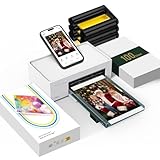
Overview: The Liene M100 delivers full-size 4x6" photo printing in a portable package, targeting users who want lab-quality results without leaving home. This comprehensive bundle includes the printer, 100 sheets of paper, and three color cartridges using thermal dye sublimation technology. The minimalist magnetic design houses a Wi-Fi hotspot that supports up to five simultaneous device connections, making it ideal for family gatherings or collaborative projects.
What Makes It Stand Out: The built-in Wi-Fi hotspot eliminates network dependency, creating a stable, independent printing environment. This feature, combined with multi-device connectivity, sets it apart from Bluetooth-only competitors. The dye sublimation process produces deeply saturated, laminated prints resistant to water, scratches, and fading—far superior to inkjet alternatives. The fully sealed cassette prevents dust contamination, addressing a common pain point in portable printing.
Value for Money: At $159.99 with 100 sheets and three cartridges, the M100 offers substantial savings over drugstore printing costs. While pricier than mini printers, the 4x6 format and dye sublimation quality justify the premium. Comparable standalone dye-sub printers often cost $200+ without supplies.
Strengths and Weaknesses: Pros: True 4x6" prints; superior dye sublimation quality; independent Wi-Fi hotspot; five-device connectivity; comprehensive starter bundle. Cons: Larger footprint reduces true portability; ongoing cartridge costs; initial setup requires careful cartridge installation; print speed slower than Zink alternatives.
Bottom Line: The Liene M100 excels as a home photo station for families and enthusiasts prioritizing print quality over extreme portability. For those wanting archival-grade 4x6" prints without computer connections, this represents a compelling, cost-effective solution.
7. Liene 2x3” Photo Printer, Mini Instant Portable Color Mono Picture Printer Bundle 50 Zink Adhesive Paper, Bluetooth 5.0, Compatible w/iOS & Android, Small Phone Sticker for iPhone, Smartphone, White

Overview: The Liene 2x3" Photo Printer embraces Zink inkless technology for ultimate portability, printing sticker-backed photos directly from smartphones via Bluetooth 5.0. This $99.99 bundle includes 50 sheets of adhesive paper, making it party-ready for instant photo sharing and scrapbooking. The compact design features a sliding cover for easy paper loading and a Type-C port for modern charging convenience.
What Makes It Stand Out: Zink technology eliminates ink cartridges entirely, using heat-activated dye crystals embedded in the paper. This reduces maintenance and extends printer lifespan. The sticky-backed output transforms prints into instant stickers, perfect for decorating journals, phones, or gifts. Unique mono printing capability (with separate paper purchase) caters to artistic preferences, while the app’s new print-head cleaning function addresses Zink’s occasional quality issues—features rarely seen in this price class.
Value for Money: At $99.99 with 50 sheets, it sits between budget and premium mini printers. Zink paper costs approximately $0.50 per sheet, competitive with similar systems. While dye-sub printers offer better quality, the convenience of inkless operation and adhesive backing provides distinct value for casual users and crafters.
Strengths and Weaknesses: Pros: True portability; no ink cartridges; sticky-backed paper; Bluetooth 5.0 stability; print-head cleaning feature; mono printing option. Cons: Zink colors less vibrant than dye-sub; smaller 2x3" format; app-required printing; ongoing paper costs add up.
Bottom Line: Ideal for social butterflies and craft enthusiasts who prioritize convenience and sticker functionality over absolute print fidelity. The Liene 2x3" hits the sweet spot for casual instant printing.
8. KODAK Step Instant Smartphone Photo Printer - Portable Mini Color Wireless Mobile Printer - Zink 2x3” Sticky-Back Photos - Bluetooth Compatible with iOS & Android Devices - Fun Editing App - Pink
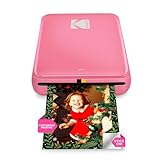
Overview: The KODAK Step Instant Printer leverages the iconic brand’s heritage in a palm-sized Zink printer priced at just $79.99. This Bluetooth and NFC-enabled device turns smartphone photos into 2x3" sticky-back prints weighing less than a pound. The built-in rechargeable battery produces 25 photos per charge, targeting influencers and casual users seeking instant gratification.
What Makes It Stand Out: NFC connectivity offers one-tap pairing beyond standard Bluetooth, a rare feature in sub-$100 printers. KODAK’s editing app provides collages, filters, borders, stickers, and text overlays—comprehensive creative tools for a budget device. The zero-ink technology uses embedded dye crystals activated by heat, eliminating messy cartridges and drying time. Its colorful design options appeal to younger demographics.
Value for Money: As the most affordable option in this comparison, the Step delivers brand recognition and NFC at a bargain price. However, the 25-print battery life is modest, and paper must be purchased separately (not clearly stated but typical). Zink paper costs $0.40-$0.60 per sheet, making long-term costs similar to competitors.
Strengths and Weaknesses: Pros: Lowest price; KODAK brand trust; NFC connectivity; ultra-lightweight; no ink maintenance. Cons: Limited battery life; Zink quality inferior to dye-sub; no included paper bundle; smaller print format; colors can appear muted.
Bottom Line: The KODAK Step is perfect for entry-level users and brand-loyal customers wanting minimal investment. While print quality won’t match dye-sublimation, the price and NFC convenience make it an excellent starter instant printer.
9. KODAK Mini 2 Retro 4PASS Portable Photo Printer, 2.1x3.4 inches, Instant Picture Printer for iPhone and Android, Photo Printer Gift, 38 Sheets Bundle, Black

Overview: The KODAK Mini 2 Retro combines nostalgic branding with modern 4PASS dye sublimation technology in a pocket-sized printer. At $79.99 with 38 sheets included, it produces 2.1x3.4" laminated prints that are fingerprint-proof and water-resistant. Weighing merely 0.4 pounds, it’s designed for true mobility without sacrificing archival quality.
What Makes It Stand Out: 4PASS technology applies four color layers plus a protective laminate, achieving professional-grade durability and vibrancy unmatched by Zink competitors. The border/borderless print options add creative flexibility—bordered prints provide space for handwritten memories, while borderless maximizes image area. This dual-format feature is unique in the mini printer category. The Bluetooth connectivity and editing app offer frames and design tools optimized for scrapbooking.
Value for Money: Remarkably, this dye-sub printer matches the price of KODAK’s Zink Step while including 38 sheets. Dye-sub cartridges cost more long-term, but the superior quality and longevity justify the expense. Competing dye-sub printers typically start at $120+, making the Mini 2 Retro an exceptional value.
Strengths and Weaknesses: Pros: Superior 4PASS dye-sub quality; extremely lightweight; border/borderless options; water/fade resistant; competitive price. Cons: Smaller print size than traditional 4x6; cartridge replacement costs; battery life unspecified; limited to 2.1x3.4" format.
Bottom Line: For quality-conscious users wanting portable dye-sub without premium pricing, the Mini 2 Retro is unbeatable. It delivers archival prints from your pocket, making it ideal for travelers and memory-keepers who refuse to compromise.
10. Polaroid Hi-Print - 2nd Generation Bluetooth Connected 2x3 Pocket Photo Dye-Sub Printer - White Printer Only (9128)
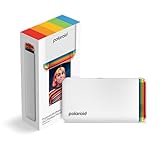
Overview: The Polaroid Hi-Print 2nd Generation resurrects the instant photography pioneer with a 2x3" dye-sub printer that prioritizes speed and quality. At $109.00, this Bluetooth-enabled device produces business-card-sized prints in under 50 seconds using innovative cartridge technology. The rechargeable lithium-ion battery enables true mobile printing, though paper is sold separately.
What Makes It Stand Out: Polaroid’s heritage lends credibility, while the dye-sub cartridge system delivers vibrant, fast-drying prints superior to Zink alternatives. The sub-50-second print speed is among the fastest in the portable category. The Hi-Print app provides frames, filters, text, and emoticons for personalization. Its business-card-sized output is perfect for networking events, journaling, or wallet photos.
Value for Money: At $109 without paper, the initial cost is higher than competitors. Factoring in paper purchases (approximately $0.60/sheet), total ownership costs escalate quickly. While dye-sub quality justifies some premium, the lack of a starter bundle diminishes immediate value. Comparable dye-sub printers offer similar quality at lower entry prices.
Strengths and Weaknesses: Pros: Dye-sub print quality; fast sub-50-second prints; Polaroid brand; Bluetooth portability; app customization. Cons: No included paper; highest price among compared models; ongoing cartridge and paper costs; smaller 2x3" format; limited battery specs.
Bottom Line: The Polaroid Hi-Print suits brand enthusiasts and speed-focused users willing to pay premium startup costs. For those valuing dye-sub quality and nostalgic branding over bundle value, it’s a solid choice, but budget-conscious buyers should consider alternatives.
Why Pocket Photo Printers Are Revolutionizing Travel Photography
The shift toward experiential travel has sparked a rebellion against the “snap and forget” culture. Today’s travelers crave connection and immediacy—wanting to share moments while they’re still fresh, not weeks later after sorting through thousands of images. Pocket printers satisfy this desire by bridging the gap between digital convenience and physical nostalgia. They weigh less than a paperback book, fit in daypacks, and turn ordinary moments into interactive experiences. Imagine printing a photo for a street vendor who posed for your shot, creating an impromptu gallery wall in your Airbnb, or assembling a visual diary during a long train ride. These devices don’t just print pictures; they facilitate cultural exchange, spark conversations, and help you engage with your surroundings more mindfully.
Understanding Pocket Photo Printer Technologies
Before diving into features, you need to understand the core printing technologies that define these devices. The technology fundamentally affects everything from image quality to ongoing costs and environmental adaptability.
ZINK Zero-Ink Technology Explained
ZINK (Zero Ink) printers use specially embedded dye crystals within the paper itself, activated by heat from the printer. This eliminates the need for separate ink cartridges, making it ideal for travel since you’ll never face the nightmare of ink leaks in your luggage. The paper acts as both medium and consumable, which simplifies packing but creates a vendor lock-in situation. ZINK prints typically measure 2x3 inches, feature peel-and-stick backs, and produce vibrant, smudge-proof images. However, they can struggle with color accuracy in skin tones and subtle gradients, and the prints may fade faster than traditional photos when exposed to direct sunlight.
Dye-Sublimation: The Professional Alternative
Dye-sublimation printers use a ribbon with color panels that transfer dye onto paper through heat. This four-pass process (yellow, magenta, cyan, and protective coating) creates continuous-tone images with smoother gradations and superior color depth compared to ZINK. The resulting prints feel more professional, resist water and fingerprints better, and typically last decades without fading. The trade-off? You’ll need to carry both paper and ribbon cartridges, increasing your kit’s complexity. These printers also consume more battery power and take longer per print, but for photography enthusiasts who prioritize archival quality, the compromise is worthwhile.
Instant Camera vs. Pocket Printer: Key Differences
While both produce physical photos instantly, the workflow differs dramatically. Instant cameras force you to commit to a shot before seeing it, creating authentic, unfiltered moments but with higher waste rates. Pocket printers let you curate your best digital images, apply edits, and print only what matters. For travelers, this means you can shoot with your professional camera or smartphone, edit during downtime, and print selectively. You’re not limited to one chance—you can print multiple copies for new friends or experiment with crops and filters. The printer also doesn’t become obsolete when better camera technology emerges; it evolves with your smartphone’s improving optics.
Critical Features Every Traveler Should Evaluate
Beyond technology, several features separate travel-worthy printers from desk-bound novelties. Print resolution, measured in DPI (dots per inch), directly impacts detail—look for 300 DPI or higher for crisp images. Print speed matters when you’re sharing moments with a group; ZINK printers typically deliver in under a minute, while dye-sublimation models take 60-90 seconds. Consider the warm-up time too—some devices require 30 seconds to initialize, while others print instantly from sleep mode.
Paper capacity affects how often you’ll need to reload. Most pocket printers hold 10 sheets, but some manage 20, which proves valuable during social gatherings. Automatic cutters, though rare, prevent paper jams and wasted sheets. Check if the printer supports borderless printing—essential for artistic shots—and whether it can handle multiple print sizes with adapters. Some advanced models offer augmented reality features, where printed photos play videos when viewed through a companion app, adding a digital layer to your physical memories.
Size and Portability: Finding Your Perfect Travel Companion
“Pocket-sized” varies dramatically between manufacturers. Some devices truly slip into jeans pockets, while others require a dedicated pouch in your daypack. Measure your intended carrying method—will it ride in a fanny pack for festival photography or tuck into a laptop sleeve for business travel? Weight ranges from 150 grams (about five ounces) to over 400 grams, which becomes significant when every gram counts for backpackers.
Consider the shape too. Flat, slate-like printers slide easily into document pockets, while chunkier models with rounded edges fit better in loose pockets but create bulges. The charging port placement matters—side-mounted ports allow printing while the device charges in a bag’s external battery pocket. Some printers include wrist straps or carabiner clips, preventing drops during active adventures. For ultra-minimalists, look for models that charge via USB-C, eliminating the need for proprietary cables and letting you share chargers with your phone and other devices.
Print Quality: What to Expect from Miniature Devices
Managing expectations is crucial. No pocket printer matches the quality of a full-sized photo printer or professional lab. However, the best models produce surprisingly impressive results that exceed traditional instant film. Focus on color reproduction accuracy—reds and blues often render well, but skin tones and greens can be problematic. Check sample prints for banding or streaking, which indicates poor heat distribution.
Dynamic range matters for travel photography where you’re often dealing with high-contrast scenes—bright skies over ancient ruins, shadowy market stalls. ZINK prints sometimes crush shadows, while dye-sublimation preserves more detail. The protective coating on dye-sublimation prints adds a subtle sheen that makes colors pop, whereas ZINK’s matte finish feels more like a traditional Polaroid. Consider the paper’s thickness too; flimsy paper curls in humid climates and feels cheap when gifting photos to locals.
Connectivity Options: Staying Linked on the Go
Reliable connectivity separates frustration from freedom. Most pocket printers use Bluetooth 5.0 or higher, offering 30+ meters of range and stable connections through obstacles. However, Bluetooth can be finicky with certain smartphone models, requiring occasional re-pairing. Wi-Fi Direct creates its own network, letting multiple people connect simultaneously—perfect for group trips where everyone wants to print their perspective of a shared experience.
Bluetooth vs. Wi-Fi: Making the Right Choice
Bluetooth excels for solo travelers and simple setups. It uses less battery, pairs quickly, and works reliably in areas with congested Wi-Fi signals (like tourist hotspots). The downside? Typically one-to-one connections and slower data transfer, which can degrade high-resolution images. Wi-Fi Direct supports multiple simultaneous connections and transfers full-resolution files faster, preserving image quality. It also enables printing from tablets and laptops, not just phones. The trade-off is higher power consumption and occasional interference from other networks. For most travelers, Bluetooth suffices, but group travelers should prioritize Wi-Fi Direct.
NFC and Other Emerging Connection Methods
Near Field Communication (NFC) allows tap-to-pair simplicity—just touch your phone to the printer for instant connection. While convenient, it’s largely a gimmick since you still need the app open. Some innovative printers now feature QR code pairing, where scanning a code on the printer’s display downloads the app and establishes connection in one step. For international travelers, look for printers with offline mode that stores images internally when your phone battery dies, printing once reconnected.
Battery Life Considerations for Extended Adventures
Nothing kills the moment like a dead printer. Battery capacity, measured in mAh, typically ranges from 500mAh to 1500mAh. Real-world usage varies wildly—ZINK printers deliver 15-25 prints per charge, while dye-sublimation models manage 8-15 due to higher power demands. But specs don’t tell the full story. Sleep mode efficiency matters more than capacity for intermittent use; some printers drain completely in 48 hours, while others hold charge for weeks.
For multi-day hikes or off-grid travel, prioritize printers with replaceable batteries or those that support pass-through charging (printing while plugged in). Solar panel compatibility becomes a game-changer for extended wilderness trips—some printers can trickle-charge from small USB solar panels during lunch breaks. Check if the device prints while charging; many don’t, forcing you to choose between printing and power banking. Fast-charging capability (reaching 80% in under an hour) proves invaluable during tight layovers.
The Hidden Costs: Paper, Per-Print Pricing, and Long-Term Value
The sticker price deceives. True cost lies in the consumables. ZINK paper typically costs $0.50-$0.70 per sheet when bought in bulk, while dye-sublimation paper-and-ribbon combos run $0.70-$1.00 per print. Specialty papers—metallic, sticker-backed, or larger formats—command premium prices. Calculate your expected usage: printing five photos daily during a two-week trip means 70 prints, costing $35-$70 in consumables alone.
Vendor lock-in is real. Some printers only work with proprietary paper, while others accept third-party refills (though quality varies). Watch for paper expiration dates—old ZINK paper can produce faded prints due to dried dye crystals. Bulk packs reduce per-print costs but add weight and take up precious luggage space. Consider subscription services that ship paper to your travel destinations, though international shipping reliability varies. Factor in the environmental cost too; ZINK paper contains chemical dyes and isn’t recyclable, while dye-sublimation ribbons create plastic waste.
App Ecosystem: Your Creative Command Center
The hardware is only half the equation. The companion app fundamentally shapes your experience. Evaluate app store ratings and recent update frequency—abandoned apps become buggy with new OS updates, rendering your printer useless. A quality app offers more than basic printing: collage templates, AR video embedding, ID photo layouts, and travel journal integration. Look for offline editing capability, essential when you’re without data in remote locations.
Cloud integration matters for backing up edited images before printing. Some apps connect directly to Instagram, Google Photos, or Dropbox, letting you print from your entire archive, not just your phone’s camera roll. Advanced features include batch printing for creating photo books, date and location stamping for journaling, and even basic photo restoration tools for enhancing older digital images. Privacy-conscious travelers should check if the app requires excessive permissions or stores your photos on external servers.
Durability and Build Quality for Rugged Travel
Travel punishes gear. That sleek, glossy printer might look appealing in the store but becomes a scratched, fingerprinted mess after one day in a sand-filled beach bag. Look for matte finishes or rubberized coatings that resist scuffs and provide grip. IP ratings indicate dust and water resistance—IPX4 handles splashes, while IP67 survives brief submersion, crucial for beach and boat trips.
The paper tray should have a positive latch that prevents accidental opening, which exposes paper to humidity and debris. Test the button feel; mushy buttons fail faster than tactile ones. The charging port should have a cover or be recessed to prevent lint and sand infiltration. Some military-grade models feature reinforced corners and internal shock mounting, surviving drops onto concrete—worth the weight penalty for adventure travelers. Temperature operating range matters too; cheap printers fail in freezing mountain mornings or scorching desert afternoons.
Print Sizes and Formats: Beyond the Standard 2x3
While 2x3-inch prints dominate the pocket printer market, other sizes serve different purposes. 3x4-inch prints offer more visual impact for wall displays and gifts, while remaining portable. Some printers accommodate multiple sizes via adjustable trays or separate paper cassettes. Panoramic formats (2x6 inches) capture sweeping landscapes beautifully, and square prints (2x2 inches) create cohesive Instagram-style albums.
Consider printers that produce perforated strips for photo booth-style series, or those that print on sticker paper for customizing luggage, laptops, or travel journals. For business travelers, ID photo templates that print passport or visa photos on demand can be invaluable emergencies. The ability to print multiple sizes from one device adds versatility but often requires carrying different paper types, complicating your packing strategy.
Creative Features That Enhance Travel Storytelling
The best pocket printers transcend simple photo reproduction. Augmented reality features let you embed video clips into prints—when viewed through the app, that static temple photo comes alive with chanting monks. Some printers generate QR codes on prints that link to online galleries, perfect for sharing full albums with people you meet.
Collage modes automatically arrange multiple photos into themed layouts—great for telling day-in-the-life stories. Filters that mimic classic film stocks add nostalgic character to modern digital shots. Advanced models offer text overlay in multiple languages, letting you add location names, dates, or short journal entries directly on prints. For social travelers, party mode lets multiple devices connect and contribute photos to a shared print queue, creating collaborative memory walls at group accommodations.
Making Your Decision: A Traveler’s Checklist
Synthesize your priorities with this decision framework. First, define your primary use case: journaling favors sticker paper and text features; gifting prioritizes print quality and size; social travel demands multi-user connectivity. Next, calculate your total cost of ownership: (printer price) + (estimated prints per year × consumable cost) × expected lifespan. Budget travelers might accept higher per-print costs for a cheaper device, while frequent printers benefit from premium models with lower consumable prices.
Test the app before purchasing—most offer demo modes. Check community forums for firmware update histories; manufacturers that regularly improve their products extend device longevity. Consider your destination’s climate and infrastructure—humid Southeast Asia demands moisture-resistant paper, while remote Patagonia requires solar charging compatibility. Finally, honestly assess your patience for troubleshooting. Tech-savvy travelers can handle finicky Wi-Fi setups, while others benefit from dead-simple Bluetooth pairing.
Care and Maintenance on the Road
Protect your investment with simple habits. Always store paper in its original packaging until use, and keep it in a sealed ziplock bag with a silica gel packet in humid climates. Clean the print head weekly using the app’s maintenance mode—dust causes streaks that ruin prints. When not using the printer for extended periods, remove the paper to prevent roller compression marks.
Charge the battery to 50% before long-term storage to prevent lithium-ion degradation. If the printer gets wet, power it off immediately, remove paper, and let it dry completely before use—rice works in emergencies, but silica gel is more effective. For sand exposure, use compressed air to clean crevices, never blow with your mouth (moisture causes corrosion). Update the firmware before major trips; manufacturers often release stability improvements. Carry a spare paper tray if available—pre-loading paper at your accommodation prevents fumbling with delicate sheets in windy or crowded conditions.
Frequently Asked Questions
How long do prints from pocket photo printers last?
With proper storage away from direct sunlight and humidity, dye-sublimation prints last 10-20 years without noticeable fading. ZINK prints typically show fading within 3-5 years, especially if displayed. For archival longevity, scan your prints and store digital backups, or keep them in acid-free albums.
Can I print from my DSLR or mirrorless camera?
Most pocket printers require a smartphone intermediary. However, some Wi-Fi Direct models accept images from cameras that support PictBridge or have companion apps. The simplest workflow is transferring camera photos to your phone via SD card reader or wirelessly, then printing through the app.
What happens if I run out of paper mid-trip?
Plan ahead by calculating daily usage and carrying 20% extra. For extended travel, identify retailers at your destination that stock your printer’s paper—most major cities have electronics stores carrying common brands. Some manufacturers offer international shipping to hotels or pickup locations.
Are pocket photo printers allowed in carry-on luggage?
Yes, they’re treated like any electronic device. Remove them from your bag during security screening. The lithium battery must be installed in the device (spare batteries face restrictions). Paper is unaffected by X-ray scanners, though some travelers prefer hand-checking to avoid theoretical crystal activation.
Can I use third-party paper to save money?
Using non-OEM paper voids most warranties and often produces poor results. ZINK paper contains patented dye crystals that third-party versions can’t replicate accurately. Dye-sublimation ribbons are even more proprietary. The small savings rarely justify the risk of printer damage or ruined prints of irreplaceable moments.
How do I print photos taken by other people?
Most apps allow printing any image saved to your phone’s gallery. For photos shared via messaging apps, save them to your camera roll first. Some printers support direct printing from cloud services like Google Photos or iCloud, letting you access images shared by travel companions.
What’s the best way to create a travel journal with printed photos?
Use a hardcover journal with thick, acid-free pages. Print photos with sticky backs or use washi tape for a removable option. Leave space for handwritten notes, and consider printing photos at 50% size to fit more per page. Some travelers pre-plan layouts in the app’s collage mode before printing.
Do these printers work offline without cell service?
Yes, connectivity is direct between your phone and printer via Bluetooth or Wi-Fi Direct, requiring no internet. However, initial app setup and firmware updates need internet access. Download any necessary updates before heading off-grid.
How many prints can I expect per battery charge?
Real-world usage varies: ZINK printers average 20-25 prints per charge, dye-sublimation models 10-15. Cold temperatures reduce capacity by 30-50%. Printing multiple copies of the same image consumes less power than printing different images due to reduced data processing.
Are pocket photo printers environmentally friendly?
They generate more waste than digital sharing. ZINK paper contains chemical dyes and isn’t recyclable. Dye-sublimation ribbons create plastic waste. However, some manufacturers offer recycling programs. The environmental impact is offset if prints replace disposable cameras or encourage mindful photography over mass digital snapping.'