Your 16-inch MacBook Pro represents more than just a computer—it’s the mobile command center for your entire creative livelihood. Whether you’re color-grading footage in a coffee shop, presenting mockups to clients, or shuttling between co-working spaces and studios, that aluminum chassis houses thousands of dollars of hardware and irreplaceable client work. Yet many digital creators treat laptop protection as an afterthought, grabbing whatever generic sleeve happens to be on sale.
The reality is that digital creators face unique risks that go far beyond simple bumps and scratches. Your gear travels more, gets deployed in unpredictable environments, and often carries sensitive client data that demands both physical and digital security. A truly secure laptop sleeve or case for your 16-inch MacBook Pro needs to be as thoughtfully designed as the machine it protects—balancing robust protection with workflow efficiency, professional aesthetics with practical durability, and security features with everyday usability.
Top 10 Laptop Sleeves for 16-inch MacBook Pro
Detailed Product Reviews
1. MOSISO Laptop Case 16 inch, 15-15.6 inch Laptop Sleeve Compatible with MacBook Pro 16 M4 M3 M2 M1, HP Acer Dell Lenovo ASUS Notebook, Polyester Vertical Computer Sleeve Bag with Pocket, Black
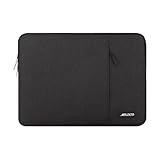
Overview: The MOSISO Laptop Case delivers essential protection for 16-inch laptops through a practical vertical design. Constructed from durable polyester with foam padding and fluffy fleece lining, this sleeve safeguards against daily bumps and scratches. Its universal compatibility spans MacBook Pro 16 models and most 15.6-inch notebooks from major brands. The slim, lightweight profile ensures easy integration into briefcases and backpacks, making it ideal for commuters and students seeking straightforward functionality.
What Makes It Stand Out: The vertical orientation distinguishes it from horizontal sleeves, allowing smoother insertion into bags. The generous front pocket (11.81 x 11.02 inches) provides exceptional storage capacity for chargers, mice, and documents—unusually spacious for the price point. The smooth-gliding top zipper offers convenient access without wrestling with the case. Polyester construction balances durability with flexibility, while the precise internal dimensions (15.55 x 0.79 x 11.42 inches) ensure a snug fit for listed devices.
Value for Money: At $15.99, this sleeve represents outstanding budget value. Comparable products typically start at $20+, making it perfect for cost-conscious users. While lacking military certification, the dual-layer protection adequately covers everyday risks like briefcase jostling and light impacts. For students or professionals with moderate travel needs, it delivers reliable performance without premium pricing. The broad compatibility also future-proofs your investment across device upgrades.
Strengths and Weaknesses: Strengths include exceptional affordability, lightweight portability, spacious front pocket, and universal device compatibility. The vertical design aids bag organization. Weaknesses involve basic polyester durability compared to premium materials, absence of reinforced corners, and limited water resistance. The pocket lacks internal dividers, allowing accessories to shift. Protection level suits daily commutes but not extreme travel conditions.
Bottom Line: For budget-focused buyers needing dependable everyday protection, this MOSISO sleeve excels. It won’t survive major drops but handles normal wear admirably. Choose it if affordability and simplicity outweigh premium features. It’s a practical workhorse for office-to-home transitions and occasional travel.
2. tomtoc 360° Protective Laptop Sleeve for 16-inch MacBook Pro M4/M3/M2/M1 Pro/Max A3403 A3186 A2991 A2780 A2485 A2141 2024-2019, Dell XPS 16 Laptop, Water-Resistant MacBook Case with Accessory Pocket

Overview: The tomtoc 360° Sleeve sets the premium protection standard for 16-inch MacBook Pro owners. Engineered with military-grade defense and eco-conscious materials, this sleeve combines CornerArmor Technology with high-density padding for comprehensive impact absorption. Its reputation is validated by Wirecutter’s “Best Laptop Sleeves” designation and NBC Select’s 2023 Giftable Tech Award. The sleek design maintains professional aesthetics while providing certified protection against drops, shocks, and vibrations.
What Makes It Stand Out: CornerArmor technology on all edges delivers genuine 360-degree protection that passes MIL-STD drop tests. Premium YKK zippers and spill-resistant recycled fabrics demonstrate quality commitment, while the integrated AirTag/key strap adds modern convenience. The sophisticated interline-designed soft lining cradles devices without scratching. tomtoc’s environmental initiative—recycling hundreds of thousands of plastic bottles—appeals to eco-conscious consumers seeking sustainable tech accessories.
Value for Money: At $32.99, this sleeve commands premium pricing but justifies every dollar. Military-standard certification, award-winning design, and premium materials create compelling value for professionals protecting $2,000+ laptops. The cost is negligible compared to potential repair expenses. Budget alternatives can’t match its verified protection level. For daily commuters and frequent travelers, this investment prevents costly damage while supporting environmental responsibility.
Strengths and Weaknesses: Strengths include certified drop protection, premium YKK zippers, sustainable materials, industry recognition, and thoughtful details like the AirTag strap. The 12-month warranty adds confidence. Weaknesses center on price—casual users may find it excessive. The front pocket is smaller than some competitors, limiting accessory capacity. The recycled fabric texture may not suit all aesthetic preferences.
Bottom Line: For MacBook Pro owners demanding verified, premium protection, this tomtoc sleeve is unmatched. The military certification and award-winning design justify the cost. Skip it only if your laptop rarely travels. For daily commuters, it’s essential insurance that protects both your device and the environment.
3. MOSISO Laptop Case 16 inch, 15-15.6 inch Laptop Sleeve Bag Compatible with MacBook Pro 16 inch, HP, Acer, Dell, Lenovo, ASUS Notebook, Neoprene Computer Sleeve Bag with Small Case, Black

Overview: The MOSISO Neoprene Sleeve offers ultra-affordable protection with a bonus accessory pouch. Designed for 15-16 inch laptops including MacBook Pro 16 models, this minimalist sleeve prioritizes value and fundamental functionality. The neoprene construction provides natural shock absorption and water resistance for everyday scenarios. Its lightweight design ensures easy transport, while the included small pouch adds unexpected versatility for organizing peripherals.
What Makes It Stand Out: The matching small pouch (5.71 x 5.12 inches) for mice and earphones delivers exceptional value at this price point. Neoprene’s inherent flexibility allows the sleeve to conform snugly to devices, while its water-resistant properties offer basic spill protection. The cohesive black color scheme between main sleeve and pouch creates a professional, unified appearance. The top-loading zipper glides smoothly for quick laptop access without bulk.
Value for Money: At $14.39, this is the most economical option reviewed. The two-piece set costs less than many standalone sleeves, making it ideal for students or occasional users. However, neoprene’s durability limitations mean it may require replacement sooner than polyester alternatives. For light-duty use and secondary devices, the protection-to-price ratio is excellent. Serious travelers should invest in more robust options.
Strengths and Weaknesses: Strengths include unbeatable price, included accessory pouch, lightweight portability, and broad device compatibility. Neoprene provides decent grip and natural water resistance. Weaknesses involve inferior protection compared to foam-padded sleeves, minimal structural rigidity, and basic construction without reinforced edges. The pouch lacks padding, offering limited protection for stored accessories. Long-term durability concerns exist with neoprene stretching.
Bottom Line: Perfect for cost-sensitive buyers needing basic protection and accessory organization. It reliably performs light-duty tasks but won’t impress heavy users. Choose it for secondary devices or infrequent travel. For daily commuters with expensive laptops, invest in higher-tier protection. As a starter sleeve, it’s surprisingly capable and remarkably affordable.
4. tomtoc 360 Protective Laptop Carrying Case for 2024 New 16-inch MacBook Pro M4/M3/M2/M1 Pro/Max 2024-2019, Water-Resistant Laptop Bag Sleeve with Accessory Pocket for The New Razer Blade 15

Overview: The tomtoc 360 Carrying Case redefines the laptop sleeve by integrating briefcase functionality with military-grade protection. Engineered for 16-inch MacBook Pro models, this case features CornerArmor technology on all four corners, high-density padding, and a tri-compartment design. It passed MIL-STD-810H drop testing in 2020, ensuring your device survives real-world accidents. The addition of PU leather handles and multiple pockets transforms it into a standalone mobile workstation.
What Makes It Stand Out: Four-corner CornerArmor technology provides comprehensive 360-degree protection exceeding typical sleeves. The intelligent storage system includes a front organizer with small pockets, a hidden back pocket for valuables, and an AirTag/key strap. Side zipper opening enables effortless laptop retrieval. Premium water-resistant recycled fabrics and YKK zippers meet high quality standards while supporting environmental sustainability. The padded handles offer carrying comfort without adding significant bulk.
Value for Money: At $38.99, this premium case eliminates need for separate briefcase and sleeve purchases. For business travelers, the organized storage and certified protection justify the investment. Compared to buying multiple accessories, the integrated design offers convenience worth the premium. The 12-month warranty and proven durability ensure long-term value. Minimalists may find it excessive, but professionals appreciate the all-in-one solution.
Strengths and Weaknesses: Strengths include military certification, multiple compartments, professional aesthetics, comfortable handles, and eco-friendly materials. The hidden back pocket is brilliant for travel security. Weaknesses include bulkier profile than pure sleeves, highest price point in this review, and potentially excessive features for ultralight packers. The added weight may deter those prioritizing minimal carry.
Bottom Line: Ideal for professionals wanting sleeve protection with briefcase functionality. It excels as a standalone solution for business trips and daily commutes. If you already own a briefcase, opt for a slimmer sleeve. For those seeking an all-in-one protective carrying solution, this tomtoc case is a smart investment that replaces multiple accessories while safeguarding expensive equipment.
5. HYZUO 15-16 Inch Laptop Sleeve Case with Stand Feature for MacBook Pro 16 M4/M3/M2/M1 Pro/Max 2025-2019, XPS 15, MacBook Pro 15 2015-2012, Samsung Galaxy Book Flex/Pro 15, Midnight Green

Overview: The HYZUO Laptop Sleeve innovates by integrating an ergonomic stand into protective design. Compatible with 15-16 inch laptops including MacBook Pro 16, this midnight green sleeve transforms from case to stand in seconds. Constructed from water-resistant faux suede leather with shockproof padding, it balances style with practical protection. The slim profile accommodates daily commuting while the stand feature enhances productivity.
What Makes It Stand Out: The foldable triangular stand mechanism elevates laptops to a comfortable typing angle while improving airflow and cooling. Invisible magnetic closures provide secure, zipper-free access without risking laptop damage. The included accessories pouch organizes chargers and peripherals. The midnight green faux suede offers a sophisticated aesthetic alternative to standard black, appealing to style-conscious professionals.
Value for Money: At $25.99, this sleeve occupies the functional mid-range sweet spot. The integrated stand eliminates need for separate $15-30 accessories, creating immediate value. While lacking military certification, the shockproof construction handles daily hazards adequately. For remote workers and students, the ergonomic benefit translates to improved comfort and productivity. It’s priced fairly for its dual-function design.
Strengths and Weaknesses: Strengths include innovative stand functionality, attractive faux suede appearance, convenient magnetic closure, included pouch, and water resistance. The design suits mobile professionals prioritizing ergonomics. Weaknesses involve potential stand mechanism wear over repeated use, less robust protection than foam-armored alternatives, and questions about faux suede’s long-term durability. Magnetic closure may feel less secure than zippers during vigorous movement.
Bottom Line: A clever hybrid for users valuing ergonomics and style over maximum protection. The stand feature genuinely enhances productivity and comfort during extended use. It won’t survive extreme abuse but excels in typical office, café, and classroom environments. Choose it if you appreciate multifunction design and attractive aesthetics. For stand-up workers and mobile professionals, it’s a practical, comfortable solution that merges protection with workspace optimization.
6. tomtoc 360° Protective Laptop Sleeve for 16-inch MacBook Pro M4/M3/M2/M1 Pro/Max A3403 A3186 A2991 A2780 A2485 A2141 2024-2019, Dell XPS 16 Laptop, Water-Resistant MacBook Case with Accessory Pocket

Overview: The tomtoc 360° Protective Laptop Sleeve delivers military-grade protection for your 16-inch MacBook Pro or Dell XPS 16. Engineered with CornerArmor Technology, high-resilience edges, and dense padding, this sleeve passed Military-Standard-Drop-Tests while maintaining a surprisingly slim profile. It’s designed for users who refuse to compromise on device safety.
What Makes It Stand Out: This sleeve’s reputation is stellar—Wirecutter named it “The Best Laptop Sleeves and MacBook Cases” in April 2024, and it won NBC Select’s Giftable Tech Awards 2023. The use of premium YKK zippers, spill-resistant recycled fabrics (made from discarded plastic bottles), and meticulous craftsmanship sets it apart. An Airtag/key strap in the front pocket adds modern convenience.
Value for Money: At $36.49, it’s a premium investment, but the military-grade protection, eco-conscious materials, and industry recognition justify the cost. Cheaper alternatives can’t match this level of certified protection or sustainability credentials.
Strengths and Weaknesses: Pros include superior drop protection, eco-friendly construction, excellent brand reputation, and thoughtful storage design. The front pocket accommodates chargers and accessories effectively. Cons are the higher price point and slightly bulkier profile compared to minimalist sleeves.
Bottom Line: If you prioritize maximum protection, sustainability, and proven quality for your high-end laptop, the tomtoc sleeve is worth every penny. It’s ideal for professionals, students, and anyone with an expensive device to protect.
7. CCPK Laptop Sleeve 15.6" for MacBook Pro 16 inch Mac Air 15 inch M4 M3 Compatible with Hp Lenovo Dell Acer Computer Laptop Bag Sleeve Carrying Case Cover Protective Skin 15.6-16 inch Accessories Black
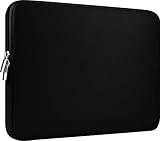
Overview: The CCPK Laptop Sleeve offers basic protection for 15-16 inch laptops at an entry-level price point. With internal dimensions of 14.76" x 10.04" x 0.59", it provides a snug fit for numerous models including MacBook Pros, HP, Lenovo, Dell, and Acer laptops. This is a no-frills solution for everyday carrying needs.
What Makes It Stand Out: Its universal compatibility list is impressive, covering dozens of specific models across major brands. The heavy-duty custom zipper pulls and closed-seam construction offer decent durability for the price category. At just $11.99, it’s one of the most affordable options available.
Value for Money: Exceptional. This sleeve costs less than a pizza but provides essential scratch and bump protection. While it lacks premium features, the price-to-function ratio is outstanding for budget-conscious buyers or as a backup sleeve.
Strengths and Weaknesses: Pros include unbeatable affordability, lightweight slim profile, wide device compatibility, and simple functionality. Cons are basic protection without reinforced corners, no water resistance mention, minimal storage (just the main compartment), and materials that likely won’t withstand serious impacts or drops.
Bottom Line: Perfect for students, casual users, or anyone needing light protection without spending much. Don’t expect premium features, but for basic scratch and dust protection while commuting, it’s a steal.
8. MOSISO 360 Protective Laptop Case 16 inch, 15-15.6 inch Laptop Sleeve Compatible with MacBook Pro 16, HP, Acer, Dell, Lenovo, ASUS, Side Open Carrying Case with 4 Zipper Pockets&Handle, Black

Overview: The MOSISO 360 Protective Laptop Case is a feature-packed carrying solution for 15-16 inch laptops. With internal dimensions of 15.35" x 10.43" x 0.79", it offers robust protection through reinforced interior edges and polyester foam padding. This sleeve transforms from a simple case to a portable briefcase with its extendable handle.
What Makes It Stand Out: Four front zipper pockets provide exceptional organization for mice, cables, pens, and notepads—far more storage than competitors. The extendable handle and back trolley suitcase belt make it ideal for business travel. Side-opening zippers prevent accidental laptop drops, adding a security layer.
Value for Money: At $26.99, it delivers tremendous utility. The combination of 360-degree protection, travel-friendly features, and extensive storage typically costs $40+ from premium brands. You’re getting briefcase functionality at sleeve prices.
Strengths and Weaknesses: Pros include outstanding organizational pockets, travel-ready design (handle + trolley belt), comprehensive protection, and side-opening security. Cons include a bulkier profile that may not fit all backpacks, and the polyester fabric, while functional, lacks the premium feel of recycled materials or high-end zippers.
Bottom Line: For travelers and organization enthusiasts, this is a standout choice. It eliminates the need for a separate bag while providing solid protection. If you value function over minimalist aesthetics, this sleeve delivers exceptional practicality.
9. Lenovo Slim Laptop Sleeve 16 Inch Notebook/Tablet - Compatible with MacBook Air/Pro - Eco-Friendly Lightweight Case with Accessory Pocket & Magnetic Closure - Grey

Overview: The Lenovo Slim Laptop Sleeve takes a minimalist, eco-conscious approach to protecting 16-inch devices. Measuring 14" x 9.72" x 0.78", it features a magnetic closure instead of traditional zippers and is crafted from 64% recycled PET materials. This sleeve targets environmentally aware professionals seeking a clean aesthetic.
What Makes It Stand Out: Its sustainability credentials are genuine, using RPET exterior and imitated microfiber interior. The magnetic closure offers quick access while maintaining a clean, zipper-free aesthetic. The pen loop and separate accessory pocket maintain organization without adding bulk, which is rare in minimalist designs.
Value for Money: At $26.99, it’s reasonably priced for eco-friendly design. While not cheap, you’re paying for sustainable materials and thoughtful engineering. Comparable green products often cost more, making this a fair value proposition for the environmentally conscious buyer.
Strengths and Weaknesses: Pros include genuine eco-friendly construction, sleek minimalist design, lightweight profile, and convenient magnetic closure. Cons include potentially less secure closure than zippers, limited impact protection compared to military-grade options, and modest storage capacity that won’t fit bulky chargers.
Bottom Line: Ideal for eco-conscious users who prioritize sustainability and style over maximum protection. It’s perfect for office commutes and light travel where scratches and minor bumps are the main concerns, not serious drops or harsh conditions.
10. CaseBuy MacBook Pro 16 inch Sleeve Protective Case for 16-inch New MacBook Pro M4/M3/M2/M1 Pro/Max A3186 A3403 A2991 A2780 A2485 2025-2021, Water-Resistant Laptop Bag with Accessory Pocket -Black

Overview: The CaseBuy MacBook Pro 16-inch Sleeve provides targeted protection for Apple’s flagship laptop at a budget-friendly price. With interior dimensions of 14.76" x 10.43" x 0.79", it’s precisely sized for 2025-2021 MacBook Pro models. The water-resistant exterior and suede interior offer decent protection without adding significant bulk or weight at just 0.20KG.
What Makes It Stand Out: At just $13.95, it’s one of the most affordable MacBook-specific sleeves available. The water-resistant coating and soft-touch suede interior are surprising features at this price point. The large front compartment provides practical storage for accessories like chargers, cables, and even a small iPad.
Value for Money: Outstanding for MacBook owners. You’re getting model-specific fit, water resistance, and accessory storage for less than half the price of premium alternatives. While not military-grade, it covers essential protection needs admirably for everyday scenarios.
Strengths and Weaknesses: Pros include unbeatable price for MacBook users, water-resistant fabric, soft suede interior, and adequate front pocket storage. Cons include basic padding without reinforced corners, unknown zipper quality compared to YKK, and limited brand reputation for long-term durability.
Bottom Line: A smart purchase for MacBook Pro owners wanting decent protection without premium cost. It’s ideal for home-to-office commutes, students, and casual use. For serious travel or drop-prone environments, consider investing more, but for everyday use, it’s excellent value that doesn’t compromise on essential features.
Understanding the 16-inch MacBook Pro’s Unique Protection Needs
The Four-Figure Investment You’re Entrusting to Fabric
Let’s be blunt: a maxed-out 16-inch MacBook Pro pushes $4,000-$6,000. That’s professional camera body territory. Yet while photographers obsess over Pelican cases with foam cutouts, many creators toss their laptop into a canvas tote and hope for the best. The math doesn’t work. A quality sleeve or case costing 5-10% of your machine’s value isn’t an expense—it’s insurance you can actually use daily.
The 16-inch Pro’s dimensions (14.01 x 9.77 x 0.66 inches) create specific challenges. It’s large enough that flex and torque become real concerns during transport, yet thin enough that edge protection can’t be bulky. The Retina display’s razor-thin bezels mean impact forces transfer more directly to the screen. These aren’t design flaws; they’re engineering trade-offs that demand equally sophisticated protection.
Why Digital Creators Face Different Threat Vectors Than Office Workers
A corporate employee’s laptop travels from home to office in a car trunk. Your MacBook Pro gets shoved into overhead bins on red-eyes, pulled out for impromptu park bench editing sessions, and wedged into festival media pit backpacks. You’re not just protecting against drops—you’re guarding against dust at outdoor shoots, spills in cramped cafes, and opportunistic theft in crowded venues.
Creators also deal with unique accessory loads. That USB-C hub with SD card readers? The portable NVMe drive holding active project files? The Wacom tablet for on-site sketching? Your case needs to secure not just the laptop but its essential ecosystem. A sleeve with a single pocket isn’t a solution—it’s a compromise waiting to cascade into workflow failure.
What “Secure” Actually Means in 2024
Physical Anti-Theft Architecture
Modern security goes beyond a zipper pull. Look for concealed hardware that prevents quick access. Lockable zippers with hidden D-rings let you use travel locks in hostel dorms or co-working spaces. Some designs feature anti-puncture zipper tapes that resist forced entry with a pen or knife. The best cases position zippers against your back when worn as a backpack, making tampering physically obvious.
Consider closure systems that aren’t obvious. Magnetic Fidlock buckles require specific manipulation that slows down thieves in crowded spaces. Roll-top designs with hook-and-loop fasteners create multiple barriers. Remember: most laptop theft is opportunistic and takes under 5 seconds. Your goal is to make your case the slowest, most complicated target in the room.
RFID Blocking and Digital Skimming Protection
Your MacBook Pro’s NFC chip for Apple Pay transactions and the RFID chips in your credit cards, passport, and work ID are vulnerable to digital pickpocketing. Quality cases now integrate Faraday cage materials in specific pockets—typically a front quick-access compartment. The effectiveness varies wildly; look for specifications mentioning 13.56 MHz blocking (the frequency used by most cards) rather than vague “RFID protection” claims.
For creators handling sensitive client data, this isn’t paranoia—it’s due diligence. A competitor standing behind you in line could theoretically skim project files from an NFC-enabled drive in your bag. The best protection combines RFID-blocking pockets with physical compartmentalization, keeping vulnerable items separate from your laptop.
Cut-Resistance and Tamper Evidence
Slash-and-grab theft is rare but catastrophic. Cut-resistant panels typically use UHMWPE (Ultra-High-Molecular-Weight Polyethylene) woven into fabric layers. This is the same material in bulletproof vests. Look for specifications mentioning “slash-resistant” rather than “cut-proof”—honest manufacturers acknowledge limits.
Tamper-evident designs include breakaway zipper pulls that show visible damage if forced, or security loops that must be cut to open the case. Some premium options feature Dyneema composite fabrics that fray dramatically when cut, making theft attempts obvious. For creators carrying proprietary work, this visual deterrence provides peace of mind during travel.
Material Science: From Ballistic Nylon to Bio-Composites
Weave Density and Abrasion Resistance Metrics
Ballistic nylon isn’t just a marketing term—it originated from WWII flak jackets. The denier rating (like 1680D) measures fiber thickness, but weave density matters more. A tight 1000D weave often outperforms a loose 1680D in real-world abrasion resistance. Look for cases specifying both denier and Martindale test results (a standardized abrasion test). Anything under 20,000 cycles is consumer-grade; professional gear should exceed 50,000 cycles.
Cordura, a brand name often used generically, actually certifies fabrics meeting specific tear and abrasion standards. Genuine Cordura will have a hangtag or embossed logo. For creators dragging cases through airport terminals and gravel parking lots, certified materials aren’t vanity—they’re longevity.
Neoprene’s Evolving Role in Laptop Protection
Old-school neoprene sleeves offered minimal impact protection—great for scratches, useless for drops. Modern iterations use closed-cell foam laminates with variable density zones. The best designs feature 5-8mm thick neoprene with reinforced corners and spine protection. Some integrate air chambers that compress on impact, dissipating force like bubble wrap.
Neoprene’s real advantage is grip. It prevents your MacBook from sliding out of your hands or off angled surfaces. For video editors who set laptops on music stands or unstable café tables, this tacky surface texture is an underrated safety feature. Just ensure it’s not so grippy that it makes insertion and removal a struggle.
Waterproof Membranes and Laminated Constructions
True waterproofing requires three layers: a face fabric for durability, a waterproof-breathable membrane (like TPU), and a backing fabric to protect the membrane. Seam taping is critical—unsealed stitching creates thousands of leak points. Look for “fully taped seams” or “welded construction” in specifications.
For creators shooting in misty forests or covering outdoor festivals, IPX6-rated protection (withstanding powerful water jets) provides real security. IPX7 (submersion) is overkill unless you’re kayaking to shoots. The membrane’s breathability matters too—trapped moisture from humidity can fog screens or corrode ports.
Water Resistance: IP Ratings and Real-World Performance
Understanding IPX4 vs. IPX7 for Daily Commutes
IPX4 means resistance to water splashes from any direction—essentially a heavy rainstorm. That’s sufficient for 95% of creators. IPX5 adds low-pressure water jets (think pressure washer). IPX6 handles powerful jets. IPX7 covers temporary immersion up to 1 meter.
The jump from IPX4 to IPX7 often doubles cost and weight while reducing breathability. For a photographer shooting coastal sunsets, IPX6 makes sense. For a graphic designer commuting by subway, IPX4 is plenty. Don’t pay for protection scenarios you’ll never encounter.
The Critical Role of Water-Resistant Zippers
Standard coil zippers leak like sieves. Water-resistant versions use rubberized coatings, urethane lamination, or physical gutter channels. The best designs hide the zipper under a flap of material, creating a double barrier. Test this yourself—run a finger along the closed zipper. If you feel teeth, water will find them.
For creators in rainy climates, look for “splash guards” at zipper ends where water pools. Some premium cases use magnetic closures at zipper terminations, creating a physical seal. Remember: a waterproof fabric with a standard zipper is like a submarine with a screen door.
Seam Sealing and Edge Binding Techniques
Stitched seams create puncture points. Taped seams use heat-activated film over stitching. Welded seams use radio frequency or ultrasonic bonding—no holes at all. Edge binding reinforces fabric edges where they fray. Look for bar tack stitching (dense zigzag patterns) at stress points like strap attachments.
For video editors who toss cases into gear trucks with metal stands and c-stands, bound edges prevent catastrophic unraveling. A case that fails at a seam dumps your $5,000 laptop onto concrete. That’s a career-altering moment worth preventing with proper construction.
The Precision Fit Challenge for 16-Inch MacBooks
Apple’s Tolerances vs. Manufacturing Variances
Apple’s spec is 14.01 x 9.77 x 0.66 inches, but real-world MacBook Pros vary by ±0.02 inches due to manufacturing tolerances. Case manufacturers work with similar variances. A sleeve specifying “fits 16-inch MacBook Pro” might be too tight for your specific unit.
The solution? Look for interior dimension specs, not just model compatibility. A quality manufacturer lists exact interior measurements. Better yet, some offer “precision fit” lines with ±0.01 inch tolerance. For creators who’ve added a thin shell case or screen protector, these millimeters matter.
Accommodating Additional Protection Layers
Adding a hardshell case increases your MacBook’s thickness by 0.03-0.05 inches and can add 0.1 inches to length and width. Many sleeves fail to account for this. When shopping, mentally add these dimensions or look for cases explicitly designed for “MacBook Pro with shell.”
The best adaptive designs use slightly stretchy interior linings or adjustable corner pads. Some feature removable spacers that let you customize fit. For creators who swap between naked MacBook for desk work and armored-up for field work, this flexibility is invaluable.
The Importance of Interior Dimension Transparency
Beware of “universal” 16-inch sleeves. They often fit 15.6-inch PCs too, meaning excess interior space that lets your MacBook slide and impact walls. A proper 16-inch MacBook Pro sleeve should have less than 0.2 inches total interior clearance—enough for easy removal but not enough for dangerous movement.
Manufacturers confident in their fit publish CAD diagrams showing interior contours. Look for corner radius specs matching Apple’s design. For creators who’ve experienced the heart-stopping “thunk” of a loose laptop hitting a sleeve’s end, this precision isn’t obsessive—it’s essential.
Workflow-Centric Organization Systems
The Dongle Dilemma: Managing Modern Connectivity
A 16-inch MacBook Pro might need power adapter, USB-C hub, SD card reader, portable SSD, and cables. That’s 2-3 pounds of accessories. A sleeve with a single pouch becomes a tangled mess. Look for segmented pockets with elastic retainers.
The best designs feature a dedicated “tech organizer” panel that folds out, showing all accessories at a glance. Some include color-coded loops or labels. For video editors swapping between location audio gear and desktop setups, this organizational clarity saves creative time and prevents lost adapters.
Cable Management vs. Cable Chaos
Loose cables scratch laptops. They also create electromagnetic interference with sensitive audio equipment. Quality cases include cable routing channels, magnetic cable keepers, or dedicated mesh pockets that prevent coiled cables from unspooling.
Consider cases with external USB pass-through ports that let you charge devices without opening the main compartment. For photographers backing up cards during shoots, this means less dust exposure and faster workflow. The best cable management disappears until you need it.
Modular Inserts for Different Creative Disciplines
A motion designer’s daily carry differs from a music producer’s. Modular cases use Velcro dividers or removable pouches to adapt. A photographer might configure space for a portable drive and card reader; a developer might prioritize a mechanical keyboard and mouse.
Look for MOLLE-compatible webbing or interior grid systems. These let you attach third-party pouches precisely where needed. For creators whose projects change weekly, this adaptability transforms a case from a container into a mobile workstation.
Ergonomics and Human Factors Design
Weight Distribution Science for Heavy Commutes
A loaded 16-inch MacBook Pro setup can exceed 8 pounds. Poor weight distribution causes fatigue and back strain. Backpack-style cases should position the laptop against your back, not away from it. The ideal center of gravity sits at your lower back’s natural curve.
Strap width matters. Sub-1.5-inch straps dig into shoulders. Look for 2-3 inch straps with contoured padding. For creators who walk miles daily at conferences or campuses, this ergonomic design isn’t luxury—it’s injury prevention.
Handle Design for Extended Carrying
A handle seems simple until you’re carrying it for 20 minutes through airport terminals. The best handles use dual-density foam: firm base for structure, soft top for comfort. They should be positioned to balance the case horizontally, preventing wrist torque.
Some cases feature both top and side handles, letting you switch grip positions. For creators who frequently set down and pick up gear during shoots, a handle that feels good at minute one and minute sixty is a detail that matters.
Ventilation and Heat Dissorption Concerns
A sleeping MacBook in a padded sleeve retains heat. Trapped warmth accelerates battery degradation and can cause condensation when moving between climates. Look for cases with ventilated spines or breathable mesh panels on non-impact surfaces.
Some designs incorporate phase-change materials that absorb and dissipate heat. For creators who pack up immediately after intensive renders, this prevents thermal shock to components. A case that breathes extends your MacBook’s lifespan beyond just physical protection.
Professional Aesthetics and Brand Image
Minimalism vs. Technical Aesthetics
Your case is part of your professional brand. A sleek, logo-free waxed canvas sleeve signals different values than a tactical black Cordura pouch with MOLLE webbing. Neither is wrong—they’re just different client signals. Architects and brand designers often lean minimalist; video production crews and developers might embrace technical aesthetics.
Material choice reinforces this. Full-grain leather develops character but requires maintenance. Ballistic nylon looks professional for years but never “breaks in.” For creators meeting Fortune 500 clients, a case that looks like military surplus might undermine credibility, regardless of its protection.
Material Patina and Professional Appearance Over Time
Cheap materials look worse with age. Quality materials develop character. Waxed canvas gains a weathered, personalized look. Full-grain leather darkens and smooths. Anodized aluminum hardware develops a subtle wear pattern that signals quality.
Consider how your case will look after 500 coffee shop visits. Faded, frayed nylon screams “struggling freelancer.” A well-patinated leather sleeve suggests “established professional.” For creators whose clients judge attention to detail, your case’s aging process is part of your visual resume.
Color Psychology in Client Meetings
Black connotes professionalism but blends into backgrounds, making theft easier. Navy suggests trustworthiness. Gray reads neutral and modern. Burgundy or forest green can signal creative confidence without unprofessionalism.
Bright colors improve visibility in gear bags but might clash with client dress codes. For creators who work in corporate environments, a reversible case (neutral outside, bright inside) offers the best of both worlds. The interior color also affects finding gear in low light—light gray linings are easier to search than black holes.
Industry Certifications and Testing Standards
MIL-STD-810G: What Those Tests Actually Involve
MIL-STD-810G is a military standard with 29 test methods. When a case claims “810G certified,” ask which tests it passed. Method 516.6 (shock) involves 26 drops from 4 feet onto plywood over concrete. Method 510.5 (sand and dust) requires operation in blowing sand. Method 507.5 (humidity) tests in 95% humidity for 10 days.
Many manufacturers test only one method, yet imply full military ruggedness. For creators, Method 516.6 (shock) and Method 506.5 (rain) are most relevant. A case that passed all 29 methods is overkill for a MacBook but might be perfect for a filmmaker’s crash kit.
Deciphering Drop Test Height Claims
“Drop-tested from 6 feet” is meaningless without methodology. Did they drop an empty case? A weighted dummy? Onto what surface? How many times? Reputable manufacturers specify: “Weighted to 8 lbs, dropped 26 times from 4 feet onto concrete, with laptop simulation device.”
Look for independent lab testing (like Bureau Veritas or SGS) rather than in-house claims. For creators who’ve actually experienced drops, the difference between a case that survived one lucky drop and one engineered for repeated impacts is the difference between a close call and a $4,000 loss.
When Certifications Matter vs. Marketing Hype
A case certified to IPX7 and MIL-STD-810G Method 516.6 offers measurable protection. A case claiming “military-grade” without specifics offers marketing. For creators, the sweet spot is often “meets or exceeds” key tests rather than full certification, which adds cost.
Consider your actual risk. A studio-bound animator needs different protection than a documentary filmmaker in the Amazon. Pay for certifications that match your reality, not hypothetical extremes. The best case for you might be one that foregoes expensive IPX7 certification for superior shock absorption—if you work in deserts, not monsoons.
Sustainability: Beyond Greenwashing
Recycled Materials Performance Characteristics
Recycled PET (rPET) from water bottles can match virgin polyester in abrasion resistance. Recycled ocean nylon performs identically to new nylon but costs 20-30% more. The key is whether recycled content compromises the case’s primary job: protection.
Look for recycled materials in low-stress areas (linings, pockets) with virgin materials in high-impact zones (corners, base). For creators whose brand includes environmental values, this hybrid approach offers authentic sustainability without sacrificing security.
Repairability and End-of-Life Design
A case with replaceable straps, buckles, and zipper pulls lasts years longer. Check if hardware uses standard screws or rivets. Rivets are stronger but non-repairable. Some brands offer repair kits or in-house refurbishment.
Consider modularity. A case where the laptop sleeve zips out, leaving a functional backpack, extends usability. For creators tired of replacing entire cases because one zipper failed, repairable design is both sustainable and economical.
Carbon-Neutral Manufacturing Claims
“Carbon-neutral” can mean offsetting emissions through tree planting or actually reducing manufacturing emissions. The latter is more meaningful. Look for specifics: “Manufactured with 100% renewable energy” beats “carbon offsets purchased.”
Some manufacturers publish lifecycle assessments (LCAs) showing environmental impact from raw material to disposal. For creators making sustainability claims to clients, being able to reference your gear’s LCA adds credibility. Your case becomes part of your brand’s story, not just a container.
The Economics of Protection: TCO Analysis
The Hidden Costs of Inadequate Protection
A $30 sleeve that fails costs $4,000 in laptop replacement, $2,000 in lost billable hours, and incalculable client trust. That’s a $6,030 loss from a $30 “saving.” Quality protection has a negative cost—it pays you back the moment it prevents one incident.
Consider deductible costs. Many business insurance policies have $500-$1,000 deductibles for equipment. A $200 case that prevents a claim saves you $300 net. For creators operating on thin margins, this math is survival.
Lifetime Warranties and What They Cover
“Lifetime warranty” means different things. Some cover manufacturing defects only. Others cover failure from normal use, including wear. The best cover everything except theft and intentional damage, and include free repairs or replacements.
Read the fine print. Does the warranty transfer if you sell the case? Does it require registration? Are shipping costs covered? For creators who view gear as long-term investments, a transferable, no-questions-asked warranty adds resale value.
Premium Features That Pay for Themselves
A $50 case might protect against drops. A $150 case adds organization that saves 5 minutes daily. That’s 30 hours annually—nearly a full work week. At $75/hour freelance rate, that’s $2,250 in recovered billable time. The $100 premium pays for itself 22 times over.
Features like luggage pass-through sleeves, TSA-friendly designs, and integrated cable management compound these time savings. For creators, time is literally money. Premium cases are productivity tools disguised as protection.
Care, Maintenance, and Longevity
Material-Specific Cleaning Guidelines
Ballistic nylon: Brush off dry dirt, spot clean with mild soap, air dry. Never machine wash—the agitation breaks down coatings. Leather: Condition every 6 months with quality leather balm. Avoid water; blot immediately if wet. Wax canvas: Re-wax annually using manufacturer’s wax. Heat with hair dryer after application for even distribution.
Never use harsh detergents or solvents. They strip DWR (durable water repellent) coatings and weaken adhesives. For creators who’ve invested in premium materials, proper cleaning is preservation.
Hardware Maintenance: Zippers, Magnets, and Buckles
Zippers: Lubricate monthly with beeswax or specialized zipper wax. Clean grit with a soft brush. If a slider loosens, gently squeeze it with pliers to restore tension. Magnets: Keep away from credit cards and hard drives (though modern SSDs are magnet-safe). Clean metal particles from magnet faces to maintain grip strength.
Buckles: Check for cracks quarterly. UV exposure makes plastic brittle. Replace at first sign of stress whitening. For creators in sunny climates, this is critical maintenance. A buckle that fails during a client drop-off is a disaster worth 30 seconds of inspection.
When Replacement Becomes Necessary
Replace your case when corner padding compresses permanently (test by pressing—if it doesn’t rebound, it’s spent). Replace when DWR coating no longer beads water. Replace when zippers skip teeth despite maintenance. For creators pushing gear hard, this is typically 3-5 years.
Don’t wait for catastrophic failure. A case’s protective capacity degrades gradually. If you’ve upgraded your MacBook, upgrade your case too—newer models have different weight distributions and vulnerability points. For creators, proactive replacement is cheaper than reactive replacement of laptops.
Frequently Asked Questions
Will a tight-fitting sleeve damage my MacBook Pro’s screen or cause keyboard marks?
A properly designed sleeve won’t. The issue arises from sleeves with uncompressed foam that exerts constant pressure. Look for designs with recessed areas where screen and keys contact, or materials like plush microfiber that compresses without transferring force. If you close your MacBook with a screen protector or keyboard cover, add that thickness to your fit calculations. A quality sleeve accounts for Apple’s clamshell design and leaves microscopic clearance.
How much drop protection do I really need for everyday carry?
For desk-to-car-to-office commutes, 2-3 feet of drop protection suffices. For public transit, flights, and field work, aim for 4-foot certification. The key isn’t maximum height but consistent performance across multiple drops. A case that survives one 6-foot drop but fails the second 3-foot impact is less valuable than one rated for 4 feet across 50 drops. Consider your typical carrying height—waist-level drops are most common.
Are hardshell cases or sleeves better for the 16-inch MacBook Pro?
They serve different purposes. Hardshells protect against scratches and minor dings while the laptop is in use. Sleeves and cases protect against drops and elements during transport. For creators, the optimal setup is often both: a thin hardshell for daily protection, removed when using a precision-fit sleeve for travel. Never use a hardshell inside a tight sleeve unless the sleeve is specifically designed for it—the combined pressure can crack screens.
Do I need RFID blocking in my laptop case?
If you carry contactless cards, work ID badges, or NFC-enabled drives, yes. Digital skimming requires proximity (typically 1-4 inches), so a blocking pocket in your case’s outermost compartment provides meaningful protection. It’s less critical if you use a separate wallet with RFID blocking. For creators handling confidential client files on portable drives, the peace of mind is worth any minor cost increase.
How do I clean my laptop case without damaging water-resistant coatings?
Use a soft brush to remove dry debris. For stains, dampen a microfiber cloth with mild soap solution and blot—never scrub. Rinse by blotting with clean water. Air dry completely before use. For waxed canvas, reapply wax after cleaning. For leather, condition after any water exposure. Never machine wash or dry clean; the chemicals and agitation destroy DWR coatings and seam tape.
What’s the real difference between water-resistant and waterproof for laptop cases?
Water-resistant (IPX4) handles rain and splashes. Waterproof (IPX7) handles submersion. For 99% of creators, water-resistant is sufficient and more practical—it’s lighter and more breathable. Waterproof cases trap condensation from humidity changes, which can damage laptops. Only choose waterproof if you’re regularly in heavy rain or near bodies of water. The zipper is usually the weak point; a water-resistant case with excellent zippers outperforms a “waterproof” case with standard zippers.
Should I choose a sleeve, briefcase, or backpack style for my 16-inch MacBook Pro?
Match the style to your carrying load. Sleeve only: minimal accessories, usually hand-carried. Briefcase: moderate accessories, professional settings, short walks. Backpack: heavy accessory loads, long commutes, cycling. Many creators own multiple: a sleeve for local meetings, a backpack for travel. The 16-inch Pro’s size makes backpack style most ergonomic for loads over 5 pounds total, as single-shoulder carrying causes imbalance.
How long should a quality laptop case realistically last?
With daily use, 3-5 years is typical for premium cases. Ballistic nylon shows abrasion after 2-3 years but remains structurally sound. Zippers typically fail first; quality YKK or Riri zippers last 5+ years with maintenance. Foam compression is the silent killer—test quarterly. For creators, replace when protection degrades, not when aesthetics fade. A worn-looking but fully functional case protects better than a pristine but compressed one.
Do airport security and TSA regulations affect which case I should choose?
TSA-friendly designs feature laptop compartments that unfold to lay flat, allowing screening without removal. This saves time and reduces theft risk in security lines. Look for “TSA Checkpoint Friendly” designs that meet the 180-degree lay-flat requirement. For international creators, note that some countries still require laptop removal regardless of case design. A case that opens quickly and completely is universally beneficial.
Can a laptop case really prevent theft, or is that just marketing?
No case prevents determined theft, but good design deters opportunistic theft—the most common type. Lockable zippers, cut-resistant panels, and tamper-evident hardware increase theft time from 3 seconds to 30+ seconds, making you a less attractive target. For creators, the goal is making your gear the hardest to steal in your environment, not making it theft-proof. Combine a secure case with situational awareness for effective protection.'