Lost luggage at JFK. A stolen backpack in Barcelona. The rental car you swore was parked on level three. If you’ve traveled with that familiar knot of anxiety in your stomach, you’re not alone. Apple’s AirTags might dominate the conversation, but you’re part of the Android majority—and that means playing by a different set of rules. The good news? By 2026, the tracking landscape has evolved into a sophisticated ecosystem built specifically for Android’s open philosophy, offering features that even AirTag users can only dream about.
The real question isn’t whether you need a tracker. It’s how to navigate the maze of Bluetooth ranges, network sizes, and Android-specific quirks to find the solution that actually works when you’re halfway around the world. Let’s cut through the marketing fluff and build your expert-level understanding of what separates a reliable travel companion from a plastic paperweight.
Top 10 AirTag Alternatives for Android Travelers
Detailed Product Reviews
1. Pebblebee Clip 5 | Rechargeable Bluetooth Tracker Tag for Keys & Bags | Alternative to Air Tag & Android Trackers | 130 dB Siren, Bright LED Strobe, 12-Month Battery, Alert Safety Mode & Phone Finder

Overview: The Pebblebee Clip 5 positions itself as a premium Bluetooth tracker that bridges the Apple and Android ecosystems. This versatile tag offers dual-network compatibility, letting users choose between Apple Find My or Google’s Find Hub during setup. Designed for keys, bags, and everyday essentials, it combines robust tracking capabilities with an innovative safety feature that distinguishes it from standard locators.
What Makes It Stand Out: The standout Alert Safety Mode transforms this from a simple tracker into a personal safety device. Triple-pressing the button triggers a 130 dB siren, flashing LED strobe, and automatic location sharing with your designated Safety Circle—valuable for students and travelers. Its eco-conscious design features a 12-month rechargeable USB-C battery and recyclable packaging, while the re-engineered acoustic chamber delivers the loudest alert in its class. IP66 water resistance and 500-foot Bluetooth range provide durability and reliable performance.
Value for Money: At $34.99, the Clip 5 sits at the premium end of the tracker market. However, this price is justified by its dual-platform flexibility, eliminating the need for separate Apple and Android devices. The rechargeable battery saves money long-term compared to disposable alternatives, and the safety features add value beyond basic tracking. Compared to single-platform competitors, you’re effectively getting two devices in one.
Strengths and Weaknesses: Strengths include cross-platform compatibility, exceptional 130 dB alarm volume, long battery life, safety mode functionality, and sustainable design. Weaknesses are its higher price point, IP66 rating (not IP68), and potentially unnecessary features for users wanting simple tracking. The 10-gram weight might be slightly noticeable on minimal keychains.
Bottom Line: The Pebblebee Clip 5 is ideal for safety-conscious users who need cross-platform flexibility. Its powerful alarm and emergency features make it worth the premium for students, travelers, and families, though budget-conscious buyers may find simpler alternatives sufficient.
2. Car Tracker Tag for Android Only, Vehicle Tracking Tag Compatible with Google Find My Device, Android Airtag Alternative, GPS Locator Tag for Cars, No Subscription
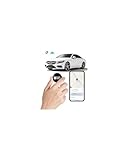
Overview: This Car Tracker Tag delivers a streamlined, budget-focused solution for Android users seeking reliable vehicle tracking without complexity. Officially certified by Google, it works exclusively with the native Find My Device app, eliminating third-party software and subscription headaches. Designed specifically for cars but versatile enough for any valuable, it leverages Google’s massive Android network for global location tracking.
What Makes It Stand Out: The plug-and-play simplicity is its primary virtue—setup takes under 30 seconds with automatic pop-up pairing. Unlike many competitors, it carries official Google certification, ensuring seamless integration and ongoing compatibility updates. The complete absence of subscription fees makes it uniquely attractive in a market where many trackers hide costs behind monthly payments. Privacy is baked in, with encrypted location data accessible only to your linked Google account.
Value for Money: At $16.99, this tracker offers exceptional affordability with zero ongoing costs. The single purchase price provides lifetime access to Google’s network, making it cheaper over time than subscription-based alternatives. While it lacks premium features like loud sirens or LED alerts, its core tracking functionality delivers exactly what most car owners need at a fraction of competitor prices.
Strengths and Weaknesses: Strengths include unbeatable price, official Google certification, effortless setup, robust privacy protections, and no subscription fees. Weaknesses are Android-only limitation, absence of audible alerts or visual indicators, and basic feature set. The lack of water resistance rating and rechargeable battery details suggest simpler hardware.
Bottom Line: Perfect for Android users wanting straightforward, reliable tracking without financial commitment. It excels as a budget-friendly car tracker, though those needing audible alerts or cross-platform support should look elsewhere.
3. Wallet Tracker Card Air-Tag - for Android & iOS, Work with Google Find Hub & Apple Find My, 0.07in Slim Tracking Card, IP68 Waterproof Bluetooth Smart Item Locator for Luggage, Gifts for Men Women
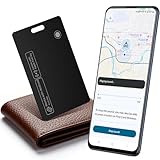
Overview: This Wallet Tracker Card from KINDEEP addresses the cross-platform dilemma faced by households mixing iPhones and Android devices. At just 0.07 inches thick, it slips effortlessly into any wallet while delivering full compatibility with both Apple Find My and Google Find My Device networks. This versatility makes it an elegant solution for tracking essentials without ecosystem lock-in.
What Makes It Stand Out: The card’s true differentiator is its universal approach—rare among trackers that typically force platform choice. IP68 waterproofing provides superior protection against spills and submersion, while Qi wireless charging eliminates cable clutter. The 100 dB alert is sufficiently loud for indoor retrieval, and iOS users benefit from left-behind notifications and Lost Mode with contact display, features often reserved for premium devices.
Value for Money: Priced at $31.99, this tracker sits in the mid-range while offering dual-platform flexibility that typically requires two separate purchases. Wireless charging adds convenience value, and the IP68 rating matches premium competitors. For households with mixed devices, it effectively replaces two trackers, delivering strong ROI despite being pricier than single-platform alternatives.
Strengths and Weaknesses: Strengths include cross-platform support, ultra-slim design, IP68 waterproofing, wireless charging, and iOS-specific smart notifications. Weaknesses are the 100 dB volume (lower than some rivals), unspecified battery life, and no mention of Android-specific advanced features. The wireless charger omission adds hidden cost.
Bottom Line: An excellent choice for users seeking platform flexibility in a wallet-friendly form factor. It’s particularly valuable for families or individuals with multiple device types, though Android-only households can find cheaper alternatives.
4. Rhinokey® Wallet Tracker Card,(Android Only) 0.07in Slim Rechargeable Airtag Card Tracker Works with Google’s Find Hub IP68 Waterproof Tag Item Finder with Key Chain Hole for Luggage Tags Purse
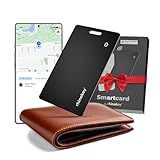
Overview: The Rhinokey Wallet Tracker Card targets Android purists with a hyper-minimalist design that prioritizes discretion and durability. Measuring a mere 0.07 inches thick, this IP68-rated card integrates directly with Google’s Find Hub, offering premium tracking without the bulk. Marketed as a thoughtful gift, it balances everyday utility with sleek aesthetics for the Android ecosystem.
What Makes It Stand Out: Rhinokey emphasizes seamless one-tap Google integration and a five-month battery life that supports over five years of total lifespan—impressive longevity for a rechargeable device. The IP68 rating ensures waterproof and dustproof reliability, while the built-in keychain hole adds versatility beyond wallets. Its wireless charging capability (1-2 hour cycle) and 100 dB speaker deliver practical functionality in an ultra-thin package.
Value for Money: At $29.99, it competes directly with premium Android trackers while offering robust build quality and long-term durability. The five-month battery life reduces charging frequency compared to monthly-charge competitors, and the extended lifespan justifies the investment. However, Android-only limitation means iOS users must look elsewhere, reducing its universal appeal.
Strengths and Weaknesses: Strengths include ultra-slim profile, IP68 protection, long battery lifespan, wireless charging, keychain versatility, and direct Google integration. Weaknesses are Android exclusivity, 100 dB volume (adequate but not class-leading), and gift-oriented marketing that may overshadow technical details. No subscription is required, keeping costs predictable.
Bottom Line: A top-tier option for Android users wanting a durable, low-profile tracker. Its waterproofing and battery longevity make it ideal for everyday carry, though the platform restriction limits its audience.
5. BXOXD Andriod Airtag,Andriod Tracker, Android Airtags-4 Pack for Andriod Phones Only,Works with Google Find My Device App, Tracker Tag, Key Finder and Item Locator for Luggage, Backpack, Suitcases

Overview: The BXOXD 4-Pack delivers unbeatable quantity for Android households needing multiple tracking solutions. Designed exclusively for Google’s Find My Device network, these tags provide core tracking functionality across four devices for less than the price of a single premium tracker. Each unit offers global location updates via Android’s encrypted network, making it a budget-conscious choice for families or individuals with several valuables.
What Makes It Stand Out: The value proposition is undeniable—four trackers at $27.99 means each tag costs under $7. This makes it practical to equip keys, luggage, backpacks, and more without financial strain. The 100 dB ring provides audible location assistance, while Lost Mode enables community help for recovery. Encryption and anonymity ensure privacy, and compatibility spans most Android brands from Samsung to Xiaomi.
Value for Money: This package redefines affordability in the tracker market. At roughly $7 per unit, it’s cheaper than replacing a single lost item. The absence of subscription fees amplifies long-term savings, making it practical for bulk deployment. While build quality and advanced features are modest, the price-to-quantity ratio is unmatched for Android-centric users.
Strengths and Weaknesses: Strengths include exceptional per-unit cost, four-device coverage, encryption privacy, global network access, and no subscriptions. Weaknesses are Android-only limitation, unspecified water resistance, basic 100 dB alert, and likely lower build quality than premium brands. No mention of battery type or charging method suggests potential convenience trade-offs.
Bottom Line: Perfect for Android users wanting maximum coverage on minimal budget. It’s a pragmatic choice for families or frequent travelers needing multiple trackers, though those wanting premium features should invest in higher-end alternatives.
6. Bluetooth Tracker for Android, Android Airtag Compatible with Google Find My Device App, Replaceable Battery Item Finder, Tracker Tag for Keys, Suitcase, Backpack, Wallet, Luggage (for Pets)

Overview: This Bluetooth tracker brings AirTag-style functionality exclusively to Android devices through Google’s Find My Device network. Designed for personal items like keys, wallets, luggage, and even pets, it taps into crowd-sourced tracking from over one billion Android devices globally, with location updates every 3-30 minutes.
What Makes It Stand Out: The standout feature is its 365-day battery life using a replaceable CR2032 cell, powered by an ultra-low power 2025 chip. The IP67 waterproof rating ensures survival in harsh conditions, while a 90dB alarm helps locate items indoors. Its compact design attaches easily to various objects, and the massive Android network provides extensive coverage.
Value for Money: Priced at $17.99, this tracker offers strong value without recurring fees. It undercuts Samsung SmartTag+ and avoids Tile’s subscription model, making it economical for tracking multiple items. The year-long battery life further reduces maintenance costs, delivering solid ROI for everyday users.
Strengths and Weaknesses: Pros: Exceptional 365-day battery life; IP67 waterproofing; loud 90dB alert; leverages vast Android network; no subscription required; versatile for pets/items. Cons: 3-30 minute update interval isn’t real-time; requires Android 9+; some devices need system updates; lacks ultra-wideband precision; accessories sold separately.
Bottom Line: This tracker excels for Android users wanting low-maintenance, reliable tracking of static or slow-moving items. The battery life and waterproofing are major wins, though the update delay makes it less ideal for active pets. A solid mid-range choice.
7. Mini GPS Tracker for Vehicles (Android Only) Car Finder, Tracking Smart Tag for Car, Android Airtag for Kids, Compatible with Google Find Hub App, No Subscription
Overview: This budget tracker provides Android-exclusive location monitoring for vehicles, children, and valuables through Google’s Find My Device network. With zero subscription fees and a streamlined 30-second setup, it targets cost-conscious users seeking essential tracking functionality.
What Makes It Stand Out: The $9.99 price is exceptionally aggressive, making it one of the most affordable certified trackers available. Google certification ensures native integration, while encrypted location data protects privacy. The device leverages billions of Android devices for global tracking without third-party apps.
Value for Money: Outstanding value—total ownership costs remain under $10 with no monthly fees. This contrasts sharply with GPS services charging $5-15 monthly. For basic vehicle or child tracking, it’s nearly unbeatable financially, allowing multiple unit purchases for comprehensive coverage.
Strengths and Weaknesses: Pros: Ultra-affordable; no subscription; Google-certified; 30-second setup; encrypted, private tracking; global Android network; no third-party apps. Cons: Android-only; product title mentions “Find Hub App” causing confusion; unspecified battery life; likely lacks waterproofing; fewer features than premium options; durability uncertain.
Bottom Line: For Android users prioritizing affordability over advanced features, this $10 tracker is a compelling choice. It’s ideal for cars or school bags where basic location is sufficient. Verify battery details before buying, and don’t expect rugged build quality at this price.
The Android Traveler’s Dilemma: Why AirTag Alternatives Matter
You’ve seen them everywhere—those sleek white discs clipped to keychains and tucked into suitcases. But here’s the uncomfortable truth: AirTags are essentially expensive trinkets for Android users. Without the Find My network’s deep iOS integration, you’re left with a basic Bluetooth beacon and a third-party app that barely scratches the surface of what’s possible. Android’s fragmented ecosystem, once a weakness, has become its greatest strength in the tracking world.
The alternatives emerging in 2026 leverage Google’s Find My Device network, third-party apps with surprising sophistication, and hardware that acknowledges Android users demand choice. You’re not looking for an AirTag clone—you’re looking for something better aligned with how you actually travel: across devices, across borders, and across varying levels of connectivity.
How Modern Bluetooth Trackers Actually Work
Before you drop cash on the latest gadget, you need to understand the machinery under the hood. The marketing materials throw around terms like “precision finding” and “global network,” but these technologies have very real limitations and advantages that directly impact your travel experience.
The Technology Stack: BLE, UWB, and GPS
Bluetooth Low Energy (BLE) forms the backbone of most consumer trackers, sipping power while maintaining a constant heartbeat to nearby devices. In 2026, BLE 5.3 and 5.4 have become standard, offering theoretical ranges up to 240 meters in open space—though in practice, airport terminals and hotel corridors cut this to 30-50 meters. This is your baseline technology, and it’s what enables those multi-year battery claims.
Ultra Wideband (UWB) is the premium add-on that gives you directional arrows and centimeter-level accuracy. But here’s what they don’t advertise: UWB requires line-of-sight and drains battery significantly faster. For travelers, UWB shines in specific scenarios—locating your carry-on in an overhead bin or finding keys buried in a hotel room—but it’s not the workhorse technology for lost luggage in another city.
GPS integration represents the holy grail for Android travelers, but it comes with trade-offs. True GPS trackers require cellular connectivity or frequent recharging, making them impractical for wallets or passports. The hybrid approach—GPS for vehicles and luggage, BLE for personal items—has become the 2026 standard for serious travelers.
Network Effects: Your Secret Weapon
A tracker is only as good as the network that can find it. Apple’s Find My network boasts hundreds of millions of devices, but Android’s fragmented approach has created something arguably more powerful for travelers: multiple overlapping networks. Google’s Find My Device network now reaches over a billion Android devices globally, while third-party networks add another layer of redundancy.
When your tracker leaves Bluetooth range, it doesn’t just sit there silently. It pings any nearby Android device with location services enabled, anonymously relaying its position through encrypted channels. In tourist-heavy areas like Paris or Tokyo, this means your lost item gets located within minutes, not hours. The key is choosing a tracker that taps into the right network density for your destinations.
Must-Have Features for 2026 Travel Trackers
Not all trackers deserve space in your carry-on. The difference between a reliable travel tool and a frustrating toy comes down to specific features that address real-world travel pain points.
Battery Life Expectations
“Replaceable battery lasting over a year” has become the entry-level standard, but you need to dig deeper. That year-long estimate assumes 4-6 location pings daily. International travel with frequent network handoffs, airport scanning interference, and constant movement can cut battery life by 30-40%. Look for trackers with battery health indicators in their Android apps—this seemingly minor feature prevents that gut-wrenching moment when you realize your tracker died three weeks ago.
Rechargeable options have matured significantly. Premium trackers now offer 6-8 months per charge with power management that automatically reduces ping frequency when stationary. For extended trips, solar-assisted models provide trickle charging that extends life indefinitely in sunny destinations.
Range and Precision Finding
Marketing loves to boast about maximum range, but your concern should be reliable minimum range. In congested environments, a tracker that consistently maintains 20-meter connectivity beats one that theoretically reaches 200 meters but drops connection every time you walk through a crowd.
The 2026 differentiator is adaptive range technology. Advanced trackers automatically adjust broadcast power based on environment—conserving battery in quiet hotel rooms, then blasting full signal in busy train stations. For Android users, this means fewer false “left behind” alerts and more accurate location history.
Durability Standards
That IP67 rating looks impressive until your luggage sits on a rainy tarmac in London. Travel demands IP68 as a baseline, but pay attention to the details: the second digit (water resistance) matters more than the first (dust). Look for 9K pressure washing resistance—this indicates the tracker can handle not just rain, but the high-pressure environment of baggage handling systems.
Temperature range is the hidden spec that matters. Quality trackers operate from -4°F to 140°F, essential for checked luggage in unheated cargo holds or items left in hot rental cars. The adhesive backing should be rated for temperature swings too; cheap trackers become expensive stickers that peel off in Bangkok heat.
Size and Portability
The smallest tracker isn’t always the best choice. Ultra-compact models sacrifice antenna size, directly reducing range and reliability. The sweet spot for travel is 30-40mm diameter and 6-8mm thickness—small enough for a wallet but large enough for a proper antenna array.
Weight matters more than you think. A 10-gram tracker in a passport holder is negligible; a 30-gram tracker makes your wallet uncomfortable to sit on. For luggage, weight is less critical than aerodynamics—bulky trackers can catch on baggage handling equipment. Look for rounded edges and recessed attachment points.
Android-Specific Integration Points
This is where the rubber meets the road. A tracker can have spectacular hardware, but if the Android experience feels like an afterthought, you’ll abandon it after one frustrating trip.
Google Find My Device Network
Native integration with Google’s network is non-negotiable for 2026. This isn’t just about compatibility—it’s about deep system-level access that third-party apps can’t match. Trackers certified for Find My Device appear directly in your Android settings, offer lock screen widgets, and bypass battery optimization restrictions that kill background apps.
The real power lies in cross-device synergy. A tracker paired with your phone can be located from your Android tablet, Wear OS watch, or even your Chromebook. When you’re rushing through Charles de Gaulle airport, pulling up your tracker’s location on your watch while your phone is buried in your bag isn’t just convenient—it’s transformative.
App Quality and User Experience
Download the Android app before buying. Seriously. Check the Play Store rating, but more importantly, read the recent reviews from travelers. An app that works perfectly in your hometown can become useless abroad if it aggressively caches maps and won’t load offline.
The best Android tracker apps offer: offline map downloads for your destination, customizable geofencing with travel mode (reducing alerts when you’re obviously moving), and quick-share features that let you temporarily share item location with travel companions. Dark mode is table stakes; what you want is Android’s Material You theming that makes the app feel native, not ported.
Cross-Platform Compatibility
Paradoxically, the best Android tracker works with iOS too. Travel often involves mixed-device groups, and the ability to have your iPhone-using spouse help locate your lost bag expands your finding network exponentially. Look for trackers that maintain full functionality when accessed from iOS devices, even if the primary user is Android.
Privacy and Anti-Stalking Measures in 2026
The tracking revolution has a dark side, and manufacturers have responded with features that protect both you and those around you. Understanding these systems isn’t just about ethics—it’s about avoiding legal trouble in countries with strict privacy laws.
Unknown Tracker Alerts on Android
Android’s unknown tracker alert system has matured significantly. If someone slips a tracker into your bag, your Android phone will notify you within 15-30 minutes of the tracker moving with you. This feature works across networks—an Apple AirTag, a Google-certified tracker, or a third-party device all trigger alerts.
For travelers, this creates a nuanced situation. That tracker in your luggage might alert your seatmate on a long-haul flight. Premium trackers now include “travel companion” modes that reduce false alerts by detecting when the tracker is near its owner’s devices, even if those devices are in airplane mode.
Data Encryption and Data Handling
Your location data is incredibly sensitive, especially when traveling through regions with aggressive surveillance. End-to-end encryption is mandatory, but implementation matters. Look for trackers using AES-256 encryption with keys stored only on your devices, not on company servers.
The location history retention policy is crucial. Some services delete data after 24 hours; others keep 30 days by default. For travel, 7-day retention strikes the right balance—long enough to track a delayed shipment, short enough to limit exposure if your account is compromised.
Travel-Focused Deployment Strategies
Knowing what to track—and how to track it—separates savvy travelers from those who just bought a gadget. Strategic placement based on risk assessment maximizes your investment.
Luggage and Baggage Best Practices
Never rely on a single tracker in checked luggage. The optimal approach is dual-tracker redundancy: one visible tracker on the handle (the decoy) and one hidden inside the lining (the insurance). Thieves often discard visible trackers immediately; the hidden one continues broadcasting.
For carry-on bags, placement affects airport security experiences. Trackers near metal frames can trigger additional screening. Position them in outer pockets away from structural elements, and consider removable mounting systems that let you quickly take them out for X-ray screening.
Wallet, Passport, and Document Tracking
These high-value, low-volume items demand ultra-slim trackers. The 2026 innovation is flexible PCB trackers that bend with your wallet without breaking. For passports, trackers that fit inside the cover’s spine pocket remain invisible while providing global coverage.
Set up aggressive notification parameters for these items—immediate alerts if left behind, with location snapshots every 30 seconds. The psychological comfort of knowing your passport’s exact location while sleeping in a hostel is worth the battery trade-off.
Vehicle and Equipment Security
Rental cars, scooters, and camera equipment need different tracking approaches. For vehicles, hardwired GPS/BLE hybrid trackers provide real-time location and battery backup. These install in minutes under the dashboard and draw negligible power.
For equipment like cameras or drones, magnetic trackers with geofencing create virtual security perimeters around your hotel or rental property. If your gear moves beyond the boundary at 2 AM, your phone becomes an alarm system.
The True Cost of Ownership
Sticker price tells only a fraction of the story. The total cost of ownership over a two-year travel schedule reveals which trackers offer genuine value versus which create subscription fatigue.
Subscription Models vs One-Time Purchase
The market has bifurcated into two camps: premium trackers with no subscription, funded by higher hardware costs, and budget trackers requiring $3-5 monthly fees for full functionality. For travelers taking 4+ trips annually, the subscription model often provides better long-term value through included global roaming and enhanced support.
Crunch the numbers: a $30 tracker with a $4/month subscription costs $126 over two years. A $90 tracker with no subscription costs $90. But if the subscription includes features like international data roaming and theft insurance, the value proposition shifts dramatically.
Battery Replacement Economics
Coin cell batteries cost $2-5 each and require replacement tools. Over a tracker’s lifespan, you’ll spend $10-15 on batteries. Rechargeable models avoid this but sacrifice convenience. Factor in your willingness to remember charging schedules when calculating true cost.
Multi-unit packs have become the smart traveler’s choice. A 4-pack at $80 ($20/unit) versus single units at $30 each creates instant savings, and having spares means you’re never caught without tracking capability when a battery dies mid-trip.
Setting Up and Testing Before Your Trip
A tracker’s performance during travel is determined by how well you configure it at home. The 24 hours before departure are critical for ensuring your safety net actually works.
Initial Configuration Checklist
Start with a factory reset, even on new devices. This clears any test data and ensures you’re working with fresh firmware. Pair the tracker in an open area, not surrounded by other Bluetooth devices that might cause interference. Enable all permissions—yes, even that vague “nearby devices” permission that Android 15 now requires.
Test separation alerts in your home environment. Walk away from the tracker until you get a notification, noting the actual distance. This establishes your baseline range expectation and helps you recognize false alerts versus genuine separations.
Real-World Range Testing Methods
Don’t trust manufacturer specs. Conduct your own range test: have a friend hold the tracker while you walk away with your phone, noting where the connection drops. Repeat this test with the tracker inside your packed luggage, as materials dramatically affect signal.
Test in different environments—your quiet suburban home, a busy coffee shop, and if possible, a location with thick walls like a hotel. Document the results in your phone’s notes app. This data becomes invaluable when you’re trying to locate lost items and need realistic expectations.
Troubleshooting Common Android Issues
Even premium trackers encounter friction with Android’s diverse hardware ecosystem. Knowing how to diagnose and fix problems without internet access separates prepared travelers from those frantically searching Reddit in a foreign language.
Bluetooth Permission Pitfalls
Android’s permission system has become increasingly granular. The most common issue is battery optimization aggressively killing the tracker app. Navigate to Settings > Apps > [Tracker App] > Battery and set it to “Unrestricted.” This single change resolves 80% of connectivity issues.
Location permissions must be set to “Allow all the time,” not just while using the app. Trackers can’t update position if the app can’t access location in the background. On Samsung devices, also check the “Device care” settings, which have separate battery optimization that overrides app-level settings.
Multi-Device Syncing Challenges
If you use multiple Android devices, ensure the tracker app is installed and signed into the same Google account on each. The primary device (usually your phone) should be designated as the “owner” in the app settings, with tablets and watches set as “viewers” to prevent permission conflicts.
When switching SIM cards for international travel, some trackers lose association with your account. Prevent this by logging into the tracker app while on Wi-Fi before inserting your travel SIM. This anchors your account to your Google credentials rather than your phone number.
Future-Proofing Your 2026 Purchase
Technology moves fast, and nothing’s worse than buying a tracker that becomes obsolete before its battery dies. Looking ahead ensures your investment pays dividends for years.
Matter Standard Compatibility
The Matter smart home standard has expanded to include trackers in its 2026 specification. While not yet widespread, Matter-compatible trackers will integrate directly with Google Home, allowing you to ask “Hey Google, where’s my passport?” and get an instant location. Early adoption of Matter-ready devices positions you at the forefront of seamless tracking.
Foldable and Multi-Screen Android Support
As foldables become mainstream, tracker apps need to adapt their UIs for multi-window mode and varying aspect ratios. Check that your chosen tracker’s app has been updated in the last three months and specifically mentions foldable support in its Play Store description. This indicates active development that will keep pace with Android’s evolution.
Frequently Asked Questions
1. Will Android trackers work when I’m traveling internationally without cell service?
Yes, but with important caveats. Bluetooth trackers rely on nearby Android devices to relay location, not your own data connection. In areas with high tourist traffic, you’ll get frequent updates even in airplane mode. However, remote locations with few Android users create dead zones. For backcountry travel, consider hybrid GPS trackers with offline map storage.
2. How do I prevent my tracker from alerting other travelers on planes and trains?
Enable “travel mode” or “transportation mode” in your tracker’s Android app before boarding. This reduces broadcast frequency and signal strength, minimizing interference with nearby devices. Some premium models automatically detect sustained high-speed movement and switch to low-power mode. Always inform seatmates if you’re using trackers in shared luggage compartments.
3. What’s the realistic battery life difference between BLE and GPS trackers?
Bluetooth trackers typically last 12-18 months on a coin cell or 6-8 months rechargeable. GPS trackers with constant location updates last 1-2 weeks maximum. However, 2026’s GPS/BLE hybrids can extend to 3-4 months by using GPS only when BLE fails to locate nearby devices. For travel, BLE remains the practical choice for personal items.
4. Can airport security scanners damage my tracker?
Modern trackers are designed to withstand X-ray and millimeter-wave scanners without damage. However, metal detectors can temporarily interfere with Bluetooth signals. Remove trackers from pockets before walking through metal detectors to prevent connection drops. Checked luggage scanners pose no risk, but extreme cold in cargo holds can temporarily reduce battery voltage and range.
5. How accurate are Android trackers compared to AirTags?
With UWB-enabled Android trackers and a compatible phone, accuracy matches AirTag’s precision finding at 10-30 centimeters. Without UWB, BLE-only trackers provide 1-3 meter accuracy in ideal conditions. The key difference is network size: in urban US/EU areas, Android networks rival Apple’s density, but in rural Asia or South America, AirTags may have slight advantage due to iPhone prevalence.
6. Should I use the same tracker brand for all my items?
Not necessarily. Diversifying brands spreads your risk across multiple networks. If one manufacturer’s servers go down, your other trackers remain functional. However, using one brand simplifies app management. A hybrid approach works best: premium trackers for high-value items (passport, laptop) on one network, budget trackers for redundancy (luggage, keys) on another.
7. How do Android’s unknown tracker alerts work with third-party trackers?
Android’s system scans for any tracker moving with you that isn’t paired to your devices. It works across all major networks, including Apple’s. After 15-30 minutes of sustained movement, you get a notification with options to play a sound on the tracker or view its serial number. This works even if the tracker’s native app isn’t installed, using OS-level detection.
8. Can I share tracker access with family members during group travel?
Yes, but implementation varies. Google Find My Device allows family sharing through Google Families, giving permanent access to designated members. Third-party apps offer temporary sharing via links that expire after 24 hours. For group trips, temporary sharing is more secure and prevents location data accumulation. Test sharing functionality before departure—some budget trackers lack this feature entirely.
9. What’s the best way to hide a tracker in luggage to prevent theft detection?
Avoid obvious spots like outer pockets or handle attachments. The interior lining near the wheel housing provides excellent concealment and maintains signal strength through the bag’s polycarbonate shell. For soft-sided luggage, sew a small pocket inside the main compartment’s reinforcement panel. Never place trackers near large metal objects like laptop frames, which create Faraday cages that block signals.
10. Will my tracker work with Android’s new theft protection features?
Android 15’s theft protection locks down devices during suspicious movement, but this doesn’t directly affect standalone trackers. However, if your phone is stolen, having trackers paired to a secondary Android device (like a tablet) maintains your ability to locate both the tracker and your phone through the Find My Device website. Always maintain at least two devices on your account for true redundancy.'