The cramped corner of a Lisbon hostel room becomes your broadcast studio. A Bangkok balcony transforms into a gaming command center. Your audience doesn’t see the chaos—they see you, crisp and professional, against a backdrop of your choosing. That’s the magic travel streamers chase every day. But here’s the reality: inconsistent backgrounds kill channel growth, and hauling studio gear across continents is a logistical nightmare. Enter the collapsible green screen, the unsung hero that fits in your backpack yet delivers broadcast-quality chroma keying from anywhere with Wi-Fi.
This isn’t just about hiding messy hotel rooms. It’s about building a recognizable brand that travels with you. Whether you’re IRL streaming from Japanese arcades, hosting travel vlogs from European cafés, or running remote work sessions from co-working spaces in Medellín, your visual consistency becomes your signature. The right collapsible green screen doesn’t just solve a technical problem—it liberates your creative vision from geographical constraints.
Top 10 Collapsible Green Screens for Travel Streamers
Detailed Product Reviews
1. Xamanabu Portable Green Screen Chair, 57 in Collapsible Greenscreen Backdrop with Stand Double Sided Green Background, Chroma Key Backdrop for Zoom/Streaming, Gaming & Meetings

Overview: The Xamanabu Portable Green Screen delivers a 57-inch cotton backdrop designed for chair-mounted convenience. This double-sided green screen targets content creators, remote workers, and streamers who need professional chroma keying without permanent studio setup. The spring-loaded steel frame collapses to 19 inches for transport, making it ideal for creators who frequently change locations.
What Makes It Stand Out: The pure cotton material distinguishes this from polyester competitors, offering superior light absorption and natural wrinkle resistance. The claimed “1-second setup” pop-up mechanism eliminates assembly frustration, while the chair-hanging design removes the need for separate stands. The tight weave specifically optimizes 4K chroma key performance, addressing a critical pain point for quality-conscious creators.
Value for Money: At $39.99, this screen sits in the mid-range but justifies its price through material quality. Cotton’s repairability (steamer/iron-friendly) extends lifespan beyond synthetic alternatives that degrade. Compared to basic polyester models, you’re paying $5-10 more for professional-grade fabric and faster deployment—worthwhile for regular users.
Strengths and Weaknesses: Pros: Premium cotton construction; instant pop-up mechanism; compact travel size; double-sided durability; no stand required; excellent light absorption. Cons: Chair-dependent limits positioning; cotton still requires occasional steaming; 57-inch coverage may be insufficient for full-body shots; steel frame demands careful handling during collapse.
Bottom Line: Perfect for chair-based creators prioritizing material quality and speed. The cotton construction and instant setup make it a reliable workhorse for daily streaming and meetings.
2. Blue Green Screen Backdrop Double Sided Collapsible Greenscreen Backdrop with Carrying Bag,Portable Pop Up Green Screen Background for Streaming Webcam 39.4 * 59.1"

Overview: This budget-friendly reversible backdrop offers both blue and green chroma key options in a compact 39.4" x 59.1" package. Designed primarily for chair mounting, it targets entry-level creators and privacy-conscious professionals. The high-density polyester mulsim fabric promises wrinkle-free performance without the maintenance demands of natural fibers.
What Makes It Stand Out: The dual-color reversibility provides exceptional versatility at this price point, effectively giving two backdrops for one. The upgraded polyester material addresses common issues with cheaper fabrics—it’s opaque, non-reflective, and genuinely wrinkle-resistant unlike basic nylon. The inclusion of a carrying bag and emphasis on privacy protection for home video calls shows thoughtful market positioning.
Value for Money: At $34.99, this is the most economical option reviewed. The 2-in-1 color feature alone delivers double the utility of single-color screens. While smaller than premium alternatives, the cost-per-square-inch remains competitive. For occasional users or those testing chroma key workflows, this minimizes financial risk while providing professional functionality.
Strengths and Weaknesses: Pros: Blue/green reversibility; true wrinkle-free polyester; lowest price point; privacy-focused design; compact storage; no assembly. Cons: Smaller dimensions limit framing options; thinner material may show wear faster; chair mounting restricts versatility; lacks stand-mounting hardware; coverage requires precise camera positioning.
Bottom Line: An unbeatable entry-level choice for budget-conscious creators. The dual-color design and wrinkle-free performance make it ideal for occasional streaming, meetings, and photography.
3. NEEWER Chromakey Backdrops, Double Sided Green Screen and Blue Screen, 2 in 1 Collapsible and Reversible Background for Photography, Gaming and Live Streaming, 5’×6.6’/1.5m×2m (Green/Blue)
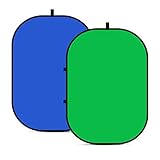
Overview: NEEWER’s professional-grade backdrop delivers a generous 5x6.5-foot reversible blue/green screen for serious content creators. The steel spring frame supports multiple mounting methods—from tripod stands to wall leaning—making it suitable for both studio and location work. Its 25.6-inch folded diameter balances portability with substantial unfolded coverage.
What Makes It Stand Out: The versatile mounting system distinguishes this from chair-only alternatives. The reinforced steel frame maintains tension across the largest surface area in its price class, eliminating sagging that ruins chroma key edges. NEEWER’s reputation for professional photo equipment translates to durable construction and consistent color accuracy across both sides, critical for commercial work.
Value for Money: At $46.03, this offers the best size-to-cost ratio. The 65-square-foot coverage costs just $0.71 per square foot—significantly cheaper than smaller screens. For creators needing full-body shots, product photography, or multi-person framing, the extra dimensions justify the modest premium over 57-inch models. The dual-color feature adds value absent in single-color professional screens.
Strengths and Weaknesses: Pros: Largest coverage area; tripod/wall/stand mounting; durable steel frame; dual-color versatility; indoor/outdoor capable; professional brand reliability. Cons: Bulkier folded size; steeper learning curve for folding technique; no chair-mount option; manual measurement tolerance may affect precise sizing; heavier than compact models.
Bottom Line: The top choice for creators needing maximum versatility and coverage. The professional mounting options and generous dimensions make it worth every penny for serious photography and streaming.
4. Portable Green Screen Chair, 57 in Greenscreen Backdrop with Stand Double Sided Foldable Green Background, Chroma Key, for Photography Streaming Gaming Photo Zoom Video Chats and Meeting

Overview: Nearly identical to the Xamanabu model, this 57-inch cotton green screen targets the same chair-mounted creator segment. The double-sided green backdrop emphasizes repairability and customer service as key differentiators. It folds to 19 inches and promises five-step collapse process for on-the-go content creation.
What Makes It Stand Out: The explicit focus on repairability—highlighting cotton’s ability to be steamed or ironed back to perfection—addresses longevity concerns. The 7x24 customer service and 31-day unconditional return policy provide uncommon buyer protection in this category. The “gifting” positioning suggests confidence in broad appeal across age groups and use cases.
Value for Money: Priced at $39.98, it matches competitors penny-for-penny. The value proposition hinges on after-purchase support rather than features. For risk-averse buyers or those buying gifts, the service guarantee offsets the lack of material or size innovation. However, functionally equivalent alternatives exist without the service promise.
Strengths and Weaknesses: Pros: Premium cotton fabric; double-sided construction; compact folding; strong customer support; gift-worthy packaging; quick chair deployment. Cons: Virtually indistinguishable from similar models; chair-only mounting limits creative angles; cotton maintenance required; no color options; brand recognition lags behind competitors.
Bottom Line: A safe purchase for those valuing customer service over unique features. While functionally solid, it doesn’t innovate beyond established designs—choose it for the support guarantee, not specifications.
5. Arozzi Ultrawide Green Screen 63" x 62" Portable Collapsible Wrinkle-Resistant Chromakey Greenscreen Background for Photography and Video Collapsible
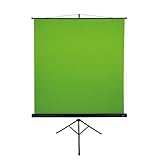
Overview: Arozzi’s ultrawide screen delivers the largest portable backdrop at 63x62 inches, targeting professional streamers and photographers who refuse to compromise on coverage. The single-color green design prioritizes maximum chroma key area over versatility. A 2-year manufacturer warranty reflects confidence in durability for heavy-use scenarios.
What Makes It Stand Out: The “ultrawide” designation isn’t marketing fluff—this provides nearly 30% more coverage than standard 57-inch screens, crucial for wide-angle shots and dynamic movement. The wrinkle-resistant construction specifically addresses the portability paradox: larger screens typically wrinkle more when folded. Arozzi’s gaming brand heritage ensures optimization for streaming workflows and webcam compatibility.
Value for Money: At $59.99, this commands a 50% premium over basic models. However, the warranty alone adds value—competitors typically offer 30-day returns only. For full-time creators, the per-use cost over two years drops below cheaper alternatives that might need replacement. The size advantage eliminates need for multiple screens in many scenarios.
Strengths and Weaknesses: Pros: Maximum portable coverage; wrinkle-resistant engineering; 2-year warranty; professional brand reliability; optimized for streaming; robust frame construction. Cons: Highest price; single color only; larger folded footprint; overkill for casual users; brand premium may not justify cost for hobbyists.
Bottom Line: The professional’s choice for uncompromising coverage and reliability. The warranty and ultrawide dimensions justify the premium for full-time creators, but casual users should opt for smaller, cheaper alternatives.
6. 【Wider Style】 RAUBAY 78.7 x 82.7in Large Collapsible Green Screen Backdrop Portable Retractable Chroma Key Panel Photo Background with Stand for Video Conference, Photographic Studio, Streaming

Overview: The RAUBAY Large Collapsible Green Screen delivers professional-grade chroma key performance in a retractable format. Measuring 78.7 by 82.7 inches, it accommodates two people comfortably, making it ideal for interviews, podcasts, and collaborative streaming setups. The integrated pneumatic X-frame system eliminates traditional stand hassles and ensures consistent results for serious content creators.
What Makes It Stand Out: Its size is the obvious differentiator—most portable screens fit only one subject. The wrinkle-resistant composite polyester fabric maintains a flawless surface without ironing, while the sustainable manufacturing process appeals to eco-conscious creators. The hard-shell storage case transforms a large backdrop into a compact, transportable unit in seconds, protecting your investment between locations.
Value for Money: At $219.99, this sits in the premium tier, but justifies its cost through time savings and professional results. Cheaper alternatives require extensive setup and wrinkle removal. For creators producing daily content or teams needing reliability, the investment pays for itself in efficiency. It competes favorably with studio-grade permanent installations at a fraction of the cost and commitment.
Strengths and Weaknesses: Strengths include instant setup, truly wrinkle-free performance, durable construction, and generous dimensions. The hard case protects the screen during transport. Weaknesses include its premium price point, substantial weight compared to fabric-only kits, and potential overkill for solo creators with minimal space. The large footprint may overwhelm small home offices.
Bottom Line: Perfect for serious content creators, production teams, and professionals who prioritize speed and quality. The RAUBAY large screen eliminates common green screen frustrations, making it worth every penny for those who need reliable, wrinkle-free performance daily.
7. Green Screen Backdrop Kit, 5 x 6.5 ft Portable Chromakey Green Screen with T-Shaped Stand & Carrying Bag & 5 Clamps, Greenscreen Background for Streaming, Gaming, Zoom

Overview: This budget-friendly green screen kit combines a 5x6.5-foot polyester backdrop with an adjustable aluminum T-stand, offering a complete solution for under $40. The package includes five clamps and a carrying bag, targeting entry-level streamers, gamers, and remote workers needing basic chroma key capabilities without breaking the bank.
What Makes It Stand Out: The aluminum stand adjusts from 2.7 to 6.5 feet, providing flexibility for seated or standing shots. Its party-decoration versatility is unique—transform it into a balloon arch base when not streaming. The thick polyester fabric resists see-through issues better than cotton alternatives and withstands machine washing for easy maintenance after repeated use.
Value for Money: At $37.98, this represents exceptional value for a complete kit. While premium retractable screens cost five times more, this manual setup delivers acceptable results for occasional use. The durable stand alone justifies the price. However, factor in time spent ironing and assembling versus plug-and-play alternatives when calculating true cost.
Strengths and Weaknesses: Strengths include affordability, adjustable height, machine-washable fabric, and multi-purpose stand. The included clamps provide secure mounting. Weaknesses center on wrinkle management—creases require steam ironing before each use. The folded shipping method guarantees initial wrinkles. Setup takes several minutes versus seconds for premium options. Fabric may still show minor transparency with bright backlighting.
Bottom Line: An excellent starter kit for budget-conscious creators. If you’re willing to invest time in setup and maintenance, this delivers professional-looking results at a fraction of the cost. Perfect for testing chroma key workflows before upgrading to automated systems.
8. 【Easy Set Up】 RAUBAY 59.8 x 82.7in Collapsible Green Screen Backdrop Portable Retractable Chroma Key Panel Photo Background with Stand for Video Conference, Photographic Studio, Streaming

Overview: RAUBAY’s mid-size retractable green screen offers the same professional pneumatic X-frame system as its larger sibling in a more compact 59.8 by 82.7-inch format. Designed for solo content creators, this pro-level backdrop provides instant chroma key optimization without the spatial demands or cost of larger studio setups, maintaining the brand’s signature wrinkle-free performance.
What Makes It Stand Out: The pneumatic frame automatically locks the canvas at your desired height, eliminating manual assembly entirely. The composite polyester fabric’s resilience ensures a perfectly smooth surface straight from the case, while the sustainable manufacturing process using recycled materials reduces environmental impact. The narrower width suits single-subject streaming without overwhelming small spaces.
Value for Money: While pricing isn’t specified, RAUBAY’s premium positioning suggests a mid-to-high price point. Value comes from time saved—setup takes literal seconds versus 10+ minutes for traditional kits. For daily streamers, this efficiency compounds. It bridges the gap between cheap wrinkly fabrics and permanent studio installations, offering professional results with true portability.
Strengths and Weaknesses: Strengths include instant deployment, genuinely wrinkle-free material, compact storage, and optimized chroma key performance. The hard case protects your investment. Weaknesses include limited width for two-person shots and unknown pricing that may deter budget buyers. The 82.7-inch height, while generous, may still require ceiling clearance in some spaces.
Bottom Line: Ideal for solo creators seeking professional quality without permanent installation. If you value your time and need reliable, consistent results, this retractable system eliminates the biggest green screen headaches. A smart investment for serious content producers who work alone.
9. EMART Green Screen Backdrop Kit with Reverse Folding Base, 5x6.5ft Photo Greenscreen Background with Portable T-Shape Stand and 6 Clamps for Photography, Photoshoot, Studio Video Recording, Streaming

Overview: EMART’s kit revolutionizes budget green screens with its innovative reverse-folding T-stand design, offering enhanced stability and compact storage unheard of at this price. The 5x6.5-foot setup includes six clamps and a machine-washable backdrop, targeting creators who need portability without sacrificing functionality. Height adjusts from 4 to 6.5 feet for versatile shooting scenarios.
What Makes It Stand Out: The reverse-folding mechanism creates a wider base footprint for superior stability while collapsing smaller than conventional stands. The crossbar’s internal rope design prevents lost pieces and enables intuitive assembly—sections connect automatically. Removing the telescopic pole creates a tabletop mode (2.7-5.1 feet), adapting from product photography to full-body shots seamlessly.
Value for Money: At $32.99, this is the most feature-rich budget option available. The upgraded stand design rivals premium kits costing three times more. Six included clamps (versus competitors’ five) provide better backdrop tension. While the fabric requires initial ironing, the stand’s engineering alone delivers exceptional ROI for mobile creators and space-constrained users.
Strengths and Weaknesses: Strengths include rock-solid stability, clever folding design, dual-height modes, generous clamp count, and easy maintenance. Weaknesses involve standard budget fabric limitations—wrinkles from folding and potential transparency issues. The 5-foot width restricts two-person shots. Setup, while improved, still requires manual assembly unlike retractable systems.
Bottom Line: The best value for budget-conscious creators prioritizing stability and portability. EMART’s engineering innovations solve common cheap-stand problems, making this a standout choice for students, mobile creators, and anyone needing a reliable, packable solution without spending triple digits.
10. Blue Green Screen Backdrop Double Sided Collapsible Greenscreen Backdrop with Carrying Bag,Portable Pop Up Green Screen Background for Streaming Webcam (Blue & Green, 47.2 * 59.1")

Overview: This double-sided pop-up screen offers both green and blue chroma key options in an ultra-portable 47.2 by 59.1-inch package. The upgraded high-density muslin fabric delivers wrinkle-free performance without ironing, while the collapsible circle design folds into a provided carrying bag. It’s engineered for webcam-based streaming and video conferencing where space is minimal and convenience is paramount.
What Makes It Stand Out: Dual-color versatility solves common chroma key conflicts—switch to blue when subjects wear green. The pop-up mechanism deploys instantly without stands or clamps. High-density polyester muslin ensures opacity and non-reflectivity, addressing cheap screen issues. Its primary innovation is privacy protection, shielding home environments during professional calls with minimal footprint.
Value for Money: At $38.99, this mid-range price reflects convenience and dual-functionality rather than size. For webcam-only use, it’s perfect. However, the 59-inch height limits full-body shots, and the basic package lacks a stand. Competing kits include stands for similar money, though rarely with dual colors. Value depends entirely on your use case—webcam streaming yes, full production no.
Strengths and Weaknesses: Strengths include instant setup, wrinkle-free material, color versatility, extreme portability, and privacy benefits. The compact storage fits anywhere. Weaknesses are size limitations—too small for standing content—and potential stability issues requiring chair support. No included stand means additional purchase for camera-based (versus webcam) use. Blue side may have slightly different keying performance.
Bottom Line: Perfect for remote workers and webcam streamers needing quick privacy and background replacement. If your content involves sitting at a desk, this delivers unmatched convenience. For full-body or multi-person shoots, invest in a larger kit. The dual colors make it uniquely versatile for its niche.
Why Travel Streamers Need a Specialized Green Screen Solution
Traditional green screens belong in studios with controlled lighting and permanent mounts. Travel streaming operates in a different universe entirely. You’re battling unpredictable hotel lighting, negotiating with Airbnb hosts about wall damage, and trying to break down your setup before the 11 AM checkout. A specialized travel green screen addresses these unique pressures through engineering choices that prioritize speed, durability, and spatial efficiency.
The modern travel streamer juggles multiple content formats—live streaming, recorded vlogs, video calls, and social media clips. Each demands different framing and background flexibility. A collapsible system lets you pivot from a tight talking-head shot to a wider demonstration view without repacking your entire kit. This adaptability directly impacts your content cadence; when setup takes seconds instead of minutes, you stream more often and capture spontaneous moments that resonate with audiences.
Understanding Collapsible Green Screen Technology
The Twist-Fold Mechanism Explained
At the heart of every collapsible green screen lies a spring steel or fiberglass frame engineered to collapse into a compact disc shape through a specific twisting motion. This isn’t magic—it’s precise tension distribution. The frame segments are designed to store kinetic energy when twisted, creating a self-contained bundle that springs open when released. Understanding this mechanism is crucial because improper folding is the number one cause of frame damage. The “pinch-and-twist” method must become muscle memory, executed the same way every time to avoid stressing the joint points.
Pop-Up vs. Retractable vs. Collapsible
Pop-up screens deploy automatically when released from their strap, ideal for ultra-fast setups but often sacrificing size options. Retractable systems pull down like window shades, offering height adjustability but requiring mounting points that travel situations rarely provide. True collapsible screens strike the balance—manual deployment gives you control over final positioning while maintaining the compact storage profile essential for carry-on luggage. For travel streamers, this hybrid approach provides the most versatile solution across varied environments.
Key Features That Define Premium Travel-Friendly Screens
Portability Index: Weight-to-Size Ratio
The gold standard measures packed diameter against deployed area and total weight. A premium travel screen packs to under 24 inches diameter while deploying to at least 5x7 feet, weighing less than 3 pounds. This ratio determines whether it qualifies as a personal item on budget airlines or gets relegated to checked baggage. Look for frames that achieve this through high-tensile materials rather than simply reducing fabric size—compromising your usable area defeats the purpose.
Quick-Deploy Mechanisms
Magnetic locking systems and color-coded corner reinforcements cut setup time by 40%. These features become invisible advantages until you’re setting up in a dimly lit Prague apartment at midnight. The best systems allow one-handed deployment while your other hand holds a phone flashlight. Some advanced models incorporate tactile indicators—raised dots on the frame that signal correct orientation without visual confirmation.
Multi-Environment Adaptability
Premium screens include reversible fabrics (green/blue) for different wardrobe choices and lighting conditions. More importantly, they feature reinforced grommets every 12 inches along the perimeter, giving you mounting flexibility whether you’re using clamps, stands, or improvised solutions like carabiners on balcony railings. This adaptability transforms any space into a viable streaming location.
Size Matters: Finding Your Perfect Dimensions
Viewport vs. Full Body Coverage
Calculate your required height by adding 12 inches to your standing height for full-body streams. For seated gaming or talking-head content, a 5x5 foot screen suffices, packing down to just 20 inches. Many travel streamers carry two sizes: a small screen for daily vlogs and a larger one for special productions. The packed size difference is negligible, but the creative flexibility is substantial.
Aspect Ratio Considerations
Your screen’s dimensions should complement, not fight, your camera’s native aspect ratio. A 16:9 camera sensor wastes the top and bottom of a square screen. Conversely, a 4:3 screen forces you to crop dangerously close to your head. The sweet spot for most travel streamers is a 5x7 foot rectangle, providing ample lateral movement for dynamic framing while maintaining vertical efficiency for overhead camera setups.
Space-Conscious Sizing for Tight Quarters
In Tokyo’s notorious capsule hotels or European micro-studios, a 4x6 foot screen positioned diagonally can create the illusion of depth. The key is understanding that screen size isn’t about physical dominance—it’s about creating a chroma key zone that exceeds your camera’s field of view by at least 6 inches on all sides. This buffer prevents accidental edge detection failures when you lean or gesture.
Material Science: What Your Screen is Made Of
Fabric Density and Chromatic Consistency
Look for 210D polyester with a matte spandex blend. This specification ensures the fabric stretches taut without thinning, maintaining uniform chroma value across the entire surface. Inconsistent fabric density creates hot spots that keying software interprets as multiple shades of green, resulting in that telltale “green halo” around your silhouette. Premium materials maintain color integrity even after hundreds of folds.
Wrinkle Memory and Recovery
The nemesis of clean keys is fabric memory—the tendency for creases to become permanent. Travel screens combat this through thermal-setting processes that essentially “teach” the fabric to forget wrinkles. Test this by crumpling a corner in your hand; quality material should smooth itself within 30 seconds when hung. This self-healing property is non-negotiable for streamers who pack and unpack daily.
Light Absorption vs. Reflection Coefficients
Your screen’s reflectivity should measure under 10% to prevent color spill onto your face and clothing. This is measured as the screen’s “albedo” value. High-quality screens achieve this through micro-embossed surfaces that scatter light rather than reflecting it directly. In practice, this means you can use brighter key lights without turning your forehead green—a common disaster in sun-drenched locations like Bali beachfronts or Santorini rooftops.
Frame Engineering: The Backbone of Portability
Spring Steel vs. Fiberglass Construction
Spring steel offers superior strength-to-weight ratio and faster snap-action deployment, but it corrodes in humid climates like Southeast Asia. Fiberglass resists environmental degradation but develops micro-fractures after repeated folding, eventually snapping without warning. The hybrid solution—steel core with fiberglass coating—provides the best of both worlds, though it adds cost. For travel streamers crossing climate zones, this investment pays dividends in reliability.
Hinge Design and Stress Distribution
Examine the hinge points where frame segments connect. Quality screens use reinforced polymer sleeves that distribute stress across a wider area. Cheap models spot-weld the joints, creating failure points that inevitably crack after 50-100 deployments. The best designs incorporate “floating” hinges that allow slight rotational play, absorbing the shock of rough baggage handling instead of transferring it to the frame.
Weight Distribution for Handheld Stability
When using a screen handheld for run-and-gun streaming, the center of gravity should align with your grip point. Premium frames achieve this by tapering the thickness of tubing—thicker at the perimeter for rigidity, thinner toward the center for balance. This subtle engineering prevents arm fatigue during extended mobile broadcasts and reduces camera shake when you’re holding both screen and selfie stick.
Setup Speed: From Backpack to Broadcasting
The 60-Second Challenge
Professional travel streamers can deploy and light a collapsible screen in under 60 seconds. This isn’t bragging—it’s a practical necessity when streaming from public spaces where permits are questionable or weather is turning. The process breaks down into three 20-second phases: deployment (twist and lock), positioning (clamp or lean), and lighting (power on and diffuse). Practice this sequence until it becomes autonomous muscle memory.
Muscle Memory Techniques
Repetitive practice in controlled conditions creates neural pathways that function under stress. Set up your screen 50 times in your home base, timing each attempt. Your hands will learn the exact torque required for the twist, the sound of proper frame locking, and the tactile feedback of correct positioning. This training means you won’t fumble when a rare solar eclipse in Patagonia offers a once-in-a-lifetime streaming opportunity.
One-Person Operation Design
The best travel screens include integrated kickstands or weighted bases that eliminate the need for a second pair of hands. Look for models with adjustable angle supports that work on uneven surfaces—a feature rarely advertised but revealed in user videos. Some designs incorporate rare-earth magnets in the base, allowing you to anchor to metal surfaces like balcony railings or hostel bed frames without clamps.
Stability in Unpredictent Environments
Wind Resistance for Outdoor Streaming
A 15 mph gust can turn your screen into a sail, destroying your shot and potentially your gear. Premium screens include micro-perforations along the edges that reduce wind resistance by 30% without affecting the chroma key area. For serious outdoor streaming, carry three lightweight sandbags (fill them with local materials like rice or gravel) that clip to the bottom grommets. This transforms a flimsy screen into a stable outdoor studio.
Uneven Terrain Solutions
Streaming from mountain overlooks or cobblestone streets requires adaptability. Collapsible screens with independent leg adjusters—similar to camera tripod legs—compensate for slopes up to 15 degrees. Alternatively, carry a pack of adhesive-backed rare-earth magnets. These let you mount your screen to metal signs, lamp posts, or even the side of a van, bypassing ground instability entirely.
Anchor Points and Counterweight Systems
The perimeter grommet spacing determines your anchoring options. Premium screens position grommets every 8-12 inches, creating versatile attachment points. For counterweights, use adjustable-length bungees with carabiners rather than rigid clamps. This elastic system absorbs vibrations from passing traffic or footfalls in busy hostels, maintaining a stable key even in chaotic environments.
Compatibility with Streaming Gear
Mounting System Universality
Your screen should interface with standard ¼"-20 and ⅜"-16 threaded mounts—the same system used by cameras and monitors. This universality lets you use existing light stands, GorillaPods, or custom rigs. Avoid proprietary mounting systems that lock you into a single brand’s ecosystem. The travel streamer’s kit thrives on modularity; your screen is one node in a network of gear that must connect seamlessly.
Camera and Microphone Integration
The screen’s position affects audio capture. Place it at least 3 feet behind you to prevent sound reflection and color spill on your microphone. For shotgun mics, angle the screen 15 degrees off-axis from the mic’s pickup pattern. This simple geometry prevents the screen from acting as an unintended sound reflector, preserving audio clarity in echo-prone spaces like tiled bathrooms or empty apartments.
Software Calibration Optimization
Different screens have slightly different chroma values. Premium models include a QR code that loads a custom color profile into OBS, Streamlabs, or XSplit. This profile compensates for the screen’s specific reflectivity and color temperature, reducing the fine-tuning time from 10 minutes to 30 seconds. If your screen lacks this, create a custom profile during your first setup and export it as a file you can load on any laptop.
Lighting Considerations for Mobile Setups
The Three-Light Rule for Small Spaces
Even with a green screen, you need three light sources: key light (on you), fill light (softening shadows), and backlight (separating you from the screen). In travel situations, this translates to one LED panel with adjustable color temperature, a collapsible reflector, and your screen illuminated by ambient light or a second small panel. The secret is positioning: your key light should hit you at 45 degrees, while the screen light should be diffused and positioned to avoid creating hotspots.
LED Panel Compatibility
Modern collapsible screens include integrated diffuser pockets—thin sleeves along the top edge that hold LED strips. This creates even screen illumination without separate stands. For travel streamers, this cuts your lighting kit in half. Look for screens with USB-powered LED compatibility, allowing you to run everything from a single power bank. The best designs position the LEDs at a 30-degree downward angle, preventing direct reflection into the camera lens.
Natural Light Integration
Streaming from golden hour locations is tempting but dangerous. Direct sunlight on a green screen creates a dynamic range that keying software can’t handle. Use the screen as a flag to block direct sun, then illuminate it with reflected natural light from a collapsible reflector positioned outside your frame. This hybrid approach maintains color consistency while leveraging the beautiful quality of natural light on your face.
Durability Testing: What to Expect on the Road
Airline Baggage Trials
Gate-checking your screen subjects it to compression forces exceeding 200 psi. Premium frames withstand this through “memory spring” engineering that returns to shape even after being crushed under heavier bags. The fabric must be abrasion-resistant to survive baggage carousel friction. Test your screen’s durability by placing a 50-pound weight on the packed disc for 24 hours—if it doesn’t spring back to full deployment, it won’t survive budget airlines.
Humidity and Temperature Extremes
Streaming from tropical climates or winter festivals tests material science. In humidity above 80%, untreated steel frames rust within days. Quality screens use anodized aluminum or polymer-coated steel. Fabric must be treated with anti-fungal agents to prevent mildew growth when packed damp. In freezing conditions, the frame’s flexibility decreases; premium materials maintain 90% of their elasticity even at -10°C, crucial for winter streaming in Scandinavia or the Canadian Rockies.
Wear Pattern Analysis
After 100 setups, inspect high-stress points: the twist points, grommet reinforcements, and fabric-to-frame connections. Premium screens show minimal fraying and no frame deformation. Budget models develop micro-tears at the corners that eventually propagate across the fabric. This wear pattern analysis is your warranty validation—document it monthly to catch failures before they strand you screen-less in a remote location.
Storage and Transportation Best Practices
Folding Techniques That Prevent Damage
The “pancake fold” is the travel streamer’s secret weapon: twist the screen into its compact form, then fold it in half once more for storage in rigid cases. This prevents the frame from accidentally deploying inside your bag. Always store it fabric-side-in to protect the keying surface from abrasion. Never leave it collapsed for more than a week; the frame’s tension memory benefits from periodic deployment, even if just for five minutes in your hotel room.
Protective Cases and Sleeves
The included carry bag is rarely sufficient for serious travel. Invest in a padded disc golf bag or custom foam insert for a hard-shell suitcase. The ideal protection involves a 10mm closed-cell foam sleeve that absorbs impacts while allowing the screen to breathe, preventing moisture buildup. Some travel streamers use yoga mat material cut to size—a lightweight, effective solution available worldwide.
Carry-On vs. Checked Luggage Strategies
Always carry your screen on when possible. Not only does this prevent damage, but it also ensures you can stream during layovers. If you must check it, remove any detachable stands and pack them separately. The screen itself is surprisingly resilient to pressure but vulnerable to puncture from sharp objects. Place it in the center of your suitcase, surrounded by soft clothing, and mark the bag “FRAGILE” even though it’s not technically fragile—the handlers will treat it more carefully.
Common Pitfalls and How to Avoid Them
The Wrinkle Catastrophe
Even quality screens develop permanent creases if stored improperly. The “hanger method” is your emergency fix: steam the screen in a bathroom while running a hot shower, then hang it vertically with weights clipped to the bottom grommets overnight. For prevention, never pack your screen with hard objects pressing against the fabric surface. A dedicated packing cube just for the screen prevents this common mistake.
Color Spill in Cramped Quarters
In spaces under 6x6 feet, green light reflects off the screen onto you, creating a sickly complexion. The solution isn’t less screen lighting—it’s strategic positioning. Angle the screen 10-15 degrees away from you, creating a wedge shape that directs reflected light away from your position. This simple geometry trick works in the smallest Tokyo micro-apartments and is the difference between amateur and professional results.
The “Too Small” Trap
Many travel streamers undersize their screen to save weight, only to discover they can’t gesture or lean without leaving the keying zone. The psychological impact is subtle but significant: you become a static, boring presenter. Always size up by 20% from what you think you need. The weight penalty is minimal, but the creative freedom transforms your on-camera presence.
Advanced Techniques for Professional Results
Multi-Layer Compositing on Mobile Hardware
Modern streaming software allows you to key multiple layers—your main shot, a secondary screen capture, and a background graphic. With a properly lit green screen, you can create a three-layer composite that looks like a professional studio. The trick is matching the shadow density across layers. Use your screen’s matte surface to cast a subtle shadow that you replicate digitally on other layers, unifying the composite.
Dynamic Background Switching
Travel streamers can leverage location by switching between virtual backgrounds and real environments mid-stream. Set up your screen on a balcony overlooking a cityscape. Start with a virtual background, then physically remove the screen mid-broadcast to reveal the actual view for a “reveal” moment. This technique requires a screen that can be collapsed silently and quickly—another reason to master the twist-fold mechanism.
Mobile Color Grading in Post-Production
Record in flat color profiles when using green screens. The reduced contrast gives you more latitude to match your keyed footage to background plates shot on location. Collapsible screens with consistent chroma values across the fabric make this easier; you can apply a single color correction LUT that works for the entire screen area. This consistency is why material quality matters more than price.
Maintenance and Care on the Go
Cleaning Without Facilities
In locations without laundry access, spot-clean your screen with distilled water and microfiber cloths. Never use tap water in hard-water regions—it leaves mineral deposits that affect color accuracy. For oil stains (common when streaming near street food vendors), carry a small bottle of isopropyl alcohol diluted to 30%. Dab, don’t rub, to avoid disturbing the fabric’s matte coating.
Emergency Repairs in the Field
A torn screen isn’t dead. Pack a roll of chroma-key green gaffer tape—it’s color-matched to your screen and matte-finished to prevent reflection. For frame damage, a splint made from a sturdy chopstick and duct tape can reinforce a cracked segment long enough to finish a trip. The travel streamer’s mantra is “repair, don’t despair.”
Long-Term Storage Between Trips
If you’re between travels for more than a month, store your screen fully deployed in a dark closet. This prevents the frame from developing “set” memory in the collapsed position. Cover it with a cotton sheet to prevent dust accumulation, which abrades the fabric over time. This simple step extends your screen’s lifespan by years, not months.
Frequently Asked Questions
How do I prevent my green screen from looking fake while streaming on the road?
The key is matching lighting direction and color temperature between your foreground and background. Use your phone’s camera to take a photo of your actual location, then use that as reference when lighting your screen. Keep your key light at 5600K (daylight) for versatility, and avoid over-lighting the screen—it should be about one stop darker than your face in camera settings.
Can I use a collapsible green screen outdoors in windy conditions?
Absolutely, but you need stabilization strategy. Use the perimeter grommets to attach bungees weighted with sandbags or water bottles. Position yourself with your back to the wind so the screen presses against its supports rather than pulling away. For gusts above 20 mph, consider switching to a physical background—the keying quality will suffer more from screen movement than from an imperfect real backdrop.
What’s the realistic lifespan of a travel green screen with daily use?
With proper care, a premium screen lasts 2-3 years of daily travel use. The frame typically fails before the fabric, developing stress fractures at the twist points. Budget models might last 6-12 months. Track your deployment count—most are rated for 500-1000 cycles. When you notice the frame losing its “snap” or fabric developing permanent creases, start planning replacement before it fails mid-trip.
How do I deal with green screen setup in hotel rooms that prohibit modifications?
Use freestanding configurations. Many collapsible screens include integrated kickstands or can be propped against furniture without clamps. Position a chair back against the screen’s base to prevent sliding. For added security, use museum putty (removable adhesive) on the bottom edge—it leaves no residue but prevents movement. Always test in an inconspicuous spot first.
Is a blue screen better than green for certain travel situations?
Blue screens excel in low-light conditions and when you wear green clothing (common for military or jungle streamers). However, green reflects 2x more light, making it easier to key with minimal equipment. For travel, stick with green unless you regularly stream in candlelit environments or your brand involves green apparel. Many premium screens are reversible green/blue, giving you both options.
How do I pack a green screen in a carry-on without it taking up half the space?
Use the “pancake fold” technique to compress it to half its packed diameter, then slide it into a rigid document tube (available at office supply stores worldwide). This protects it while allowing you to pack clothes inside the tube’s hollow center. Alternatively, pack it flat inside a laptop compartment of a backpack—it fits perfectly in most 17-inch laptop sleeves.
Can I iron my collapsible green screen to remove wrinkles?
Never use direct heat. The fabric’s thermal-set coating melts above 120°C, creating permanent shiny spots that ruin keying. Instead, use the “shower steam” method: hang the screen in a bathroom with hot water running for 10 minutes, then smooth by hand. For stubborn creases, place a cotton cloth between the screen and a cool iron set to “synthetic” setting, moving constantly.
What size green screen do I need for streaming with a group while traveling?
For two people, minimum 7x8 feet. For three or more, consider 8x10 feet. The challenge isn’t just width—it’s depth. Group streams require people to stand at different distances from the camera, increasing the risk of shadows. Use a larger screen positioned 8-10 feet behind the group, and elevate it so the bottom edge is at knee level, allowing the camera to see the full group without ground shadows.
How do I prevent my green screen from getting moldy in humid climates?
Always dry your screen completely before packing, even if it means hanging it in your hotel bathroom overnight with the fan on. Pack a few silica gel packets in the storage bag. If you notice a musty smell, wipe the screen with a solution of one part white vinegar to ten parts distilled water—the vinegar kills mold spores without damaging the fabric. Never store damp; a moldy screen is unsalvageable.
Are expensive collapsible green screens really worth it for beginners?
If you’re testing travel streaming, start mid-range ($80-120) to learn proper technique without the premium price. However, upgrade within six months if you’re streaming regularly. The durability, consistent color, and faster setup of premium screens directly impact your content quality and mental bandwidth. A failed screen in a remote location costs more in missed opportunities than the price difference between budget and premium models.'